WhatsApp blue tick verification helps businesses show customers that their WhatsApp presence is authentic and trustworthy. The blue tick is Meta’s verified badge, available through a free Official Business Account (OBA) or a paid Meta Verified subscription. Fake business accounts have made customers more careful about which brands they reply to, so more companies using WhatsApp now apply for the badge to build trust. This guide covers the two ways to get it, Meta’s eligibility rules, the application steps and what to do if a request is rejected.
💡Key Takeaways: WhatsApp Blue Tick Verification for Business
– The WhatsApp blue tick is the verified badge Meta shows next to a business name, so customers can tell an official brand from a fake account.
– Businesses can get the blue tick in two ways: a free Official Business Account (OBA) on the WhatsApp Business API, or a paid monthly Meta Verified subscription in the WhatsApp Business app.
– To request an OBA, a business needs Meta Business Verification, two-step verification, an approved display name and at least 30 days on the WhatsApp Business Platform.
– On the WhatsApp Business Platform, only Official Business Accounts appear when people search for businesses in WhatsApp, and a rejected OBA request can be resubmitted after 30 days.
– Vita Green got the blue tick on all its WhatsApp business accounts with Omnichat’s WhatsApp Business API, and reached a 50% click-through rate and 60% automation.
1. What is WhatsApp Business Blue Tick Verification?
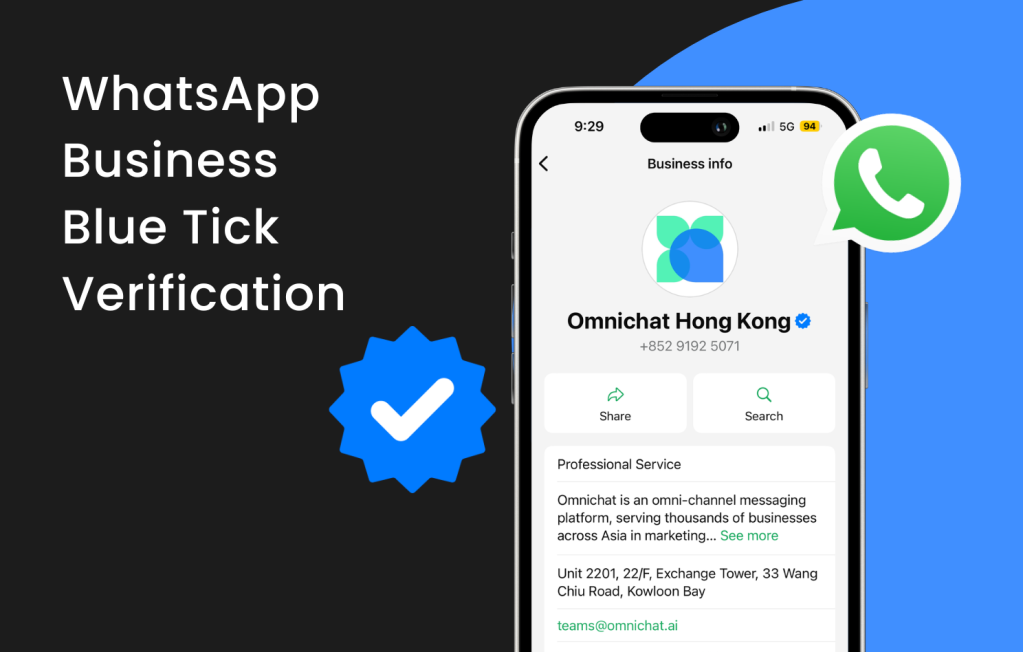
The WhatsApp blue tick is a verified badge that indicates a business account has been verified by Meta based on its activity, business information, or supporting documentation.
It appears next to the business name, so customers can tell an official account from a fake one. Here is what businesses should know about the badge:
- Who issues it: Meta, the parent company of WhatsApp, reviews each business before the badge appears.
- Two ways to get it: an Official Business Account (OBA) on the WhatsApp Business API, or a Meta Verified subscription in the WhatsApp Business app, where it is offered.
- Formerly the green tick: the WhatsApp green tick turned blue to match the verified badges on Facebook and Instagram.
- Why it matters: it helps customers avoid fake accounts and gives well-known brands a more professional, trustworthy profile.
Whichever route you choose, a complete business profile is essential for getting the badge.
WhatsApp Blue Tick vs Green Tick: Business Account Types at a Glance
The WhatsApp green tick and blue tick both mean Meta has verified the business account, and only the colour of the badge has changed. A standard business account shows no badge. Today there is more than one way to get the blue tick, as the table below shows:
| Account type | Badge | WhatsApp product | Cost | How to get it |
| Standard business account | No badge | WhatsApp Business app or API | Free account (API messages are charged under Meta’s pricing) | Default after registration |
| Official Business Account (OBA) | Blue tick | WhatsApp Business API | Free to request | Request through WhatsApp Manager or a Business Solution Provider |
| Meta Verified | Blue tick | WhatsApp Business app (selected markets) | Monthly subscription | Subscribe in the app and pass Meta’s review |
To compare what each product can do, see WhatsApp Business API vs WhatsApp Business.
2. Why is WhatsApp Blue Tick Important for Businesses?
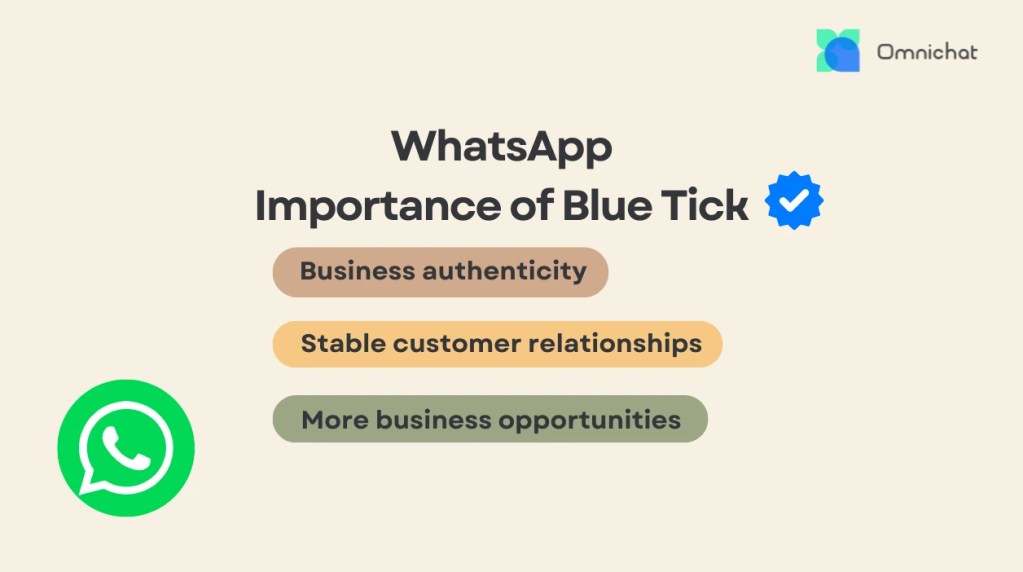
The blue tick next to your brand name confirms your official business identity. It reduces customer hesitation and confusion with fake accounts, so customers are more likely to trust and reply to your messages.
A verified status can also increase the open rates and engagement of your messages, because customers trust that they come from a legitimate business.
Build Trust and Authenticity with Customers
A verified account changes how customers see your messages:
- Your name, not a number: the blue tick shows next to your business name, and customers who get a message from an unknown number can tap to see your verified business profile.
- Fewer fake-account worries: fake business accounts are common and not every business can get the badge, so a verified account gives customers a sense of security.
- Easier to find: according to Meta’s Official Business Account documentation, only Official Business Accounts on the WhatsApp Business Platform appear when people search for businesses inside WhatsApp. Other numbers only show once a customer saves them as a contact.
Strengthen Long-Term Customer Relationships
Messages sent from accounts with the blue tick are less likely to be blocked or reported, as WhatsApp has already deemed them trustworthy. Additionally, customers are more inclined to interact with official business accounts, reducing the risk of engagement with counterfeit accounts. This can strengthen customer relationships over time.
Drive More Sales and Business Opportunities
The blue tick can quickly capture consumers’ attention, increasing brand recognition and awareness. This creates more business opportunities and improves WhatsApp marketing performance.
How to Spot a Genuine WhatsApp Blue Tick
Only Meta issues the WhatsApp blue tick, after its own review. The verified badge appears on the business profile and on calls from verified businesses. Some websites sell “blue tick accounts” or a tick symbol to paste into a profile name, but neither is a Meta verification route, and a bought account can be banned for breaking WhatsApp’s policies.
When a message claims to come from a brand, check three things:
- Tap the business name to open its profile.
- Look for the blue verified badge next to the name.
- Compare the display name and website with the brand’s official channels.
If an account has no badge but calls itself official support and asks for passwords, verification codes or payment details, treat it with caution.
3. How to Apply for WhatsApp Blue Tick Verification
This guide explains how to get the WhatsApp blue tick verification badge. Follow these steps to complete your application and receive the verified badge on your WhatsApp Business account. To request an Official Business Account, your business needs the WhatsApp Business API, while businesses on the WhatsApp Business app can consider Meta Verified instead. The sections below compare the two routes, then cover the OBA criteria and steps.
Two Ways to Get the Blue Tick: Official Business Account or Meta Verified
There are two routes to the WhatsApp blue tick, and each suits a different WhatsApp product:
- Official Business Account (OBA): for businesses with a WhatsApp Business API account. It is free to request, and Meta reviews how authentic and well known the brand is. It suits businesses that send messages at scale, share one number across a team or connect WhatsApp to a CRM.
- Meta Verified: a monthly subscription for WhatsApp Business app users, with Business Standard, Plus, Premium and Max plans. Besides the badge, it adds impersonation protection and account support. Meta says its review can take up to three business days, but it is not available everywhere: check for Meta Verified under Settings or Business Tools in the app.
If your business already uses the WhatsApp Business API for broadcasts, chatbots or a shared team inbox, an OBA gives you the badge at no extra cost. If you run WhatsApp from the app on a few phones, Meta Verified is the route open to you, where it is offered.
Eligibility Requirements for WhatsApp Blue Tick
These are Meta’s criteria for an Official Business Account, from its developer documentation (updated September 2026):
● The business must have a WhatsApp Business account and use the WhatsApp Business API, such as an advanced API account set up with Omnichat’s assistance. (Meta does not grant OBA status to WhatsApp Business app numbers, employee numbers or test accounts.)
● The business must have no history of violating WhatsApp’s business policies or terms and must remain fully compliant.
● The business must be registered on the WhatsApp Business Platform for at least 30 days.
● The business portfolio that owns the number must complete Meta Business Verification.
● Two-step verification (2FA) must be enabled on the business phone number.
● The number’s display name must be approved by Meta and match the official company name.
● A high-quality official website with strong brand recognition and media exposure is recommended.
Steps to Apply for Blue Tick Verification:
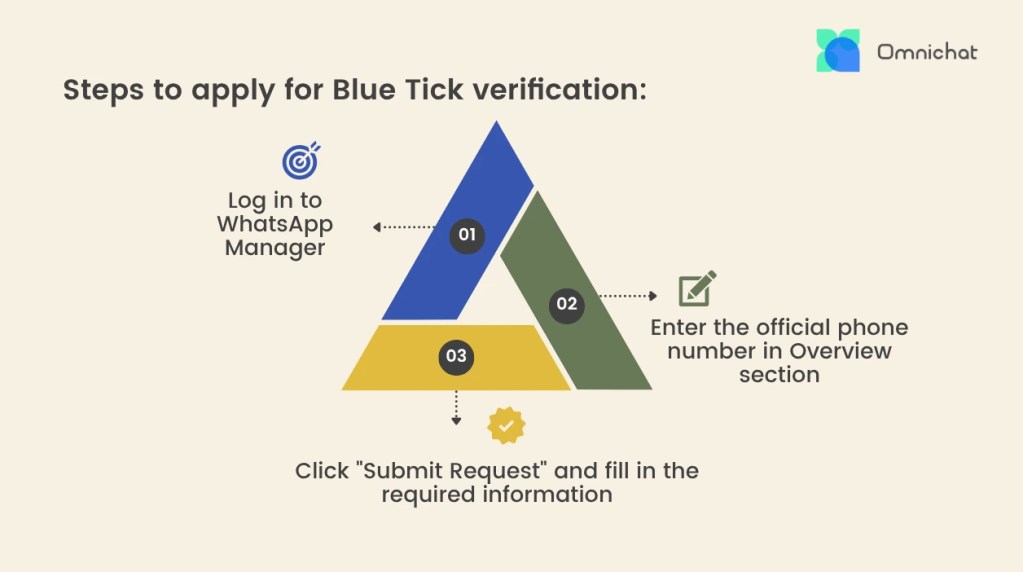
1) Log in to your WhatsApp Manager through Meta Business Suite and open Overview.
2) Click the business phone number you want to verify and make sure two-step verification is turned on.
3) Under Phone numbers > Profile > Official business account, click Submit Request and fill in the required business details.
Meta notifies you of the result once it has reviewed the request, and its documentation does not state a review time. If the application is approved, the blue tick will be automatically displayed next to your business account. During the review period, you can continue using your WhatsApp account as usual. If you don’t see the option in WhatsApp Manager, contact your WhatsApp Business Solution Provider (such as Omnichat) or Meta Support to check your eligibility.
Pro Tips to Increase Approval Success
1) Use a company email address rather than a public email such as Gmail, Hotmail, or Yahoo.
2) Avoid using paid media advertisements during the application process, as this may affect the credibility of your brand.
3) Publish 3 to 5 positive media articles or press releases to strengthen your brand image and increase recognition.
What to Do If Your Blue Tick Application Is Rejected?
If you receive a rejection for your application, it means your business account does not meet the required standards. You can submit a new request after 30 days. Before reapplying, you should understand the reasons for the rejection, such as incorrect company information, and resolve the issues before submitting another application.
Meanwhile, work on increasing your social media exposure, including organic likes, and optimise your website experience to expand brand influence.
4. Success Story: How Vita Green Earned the WhatsApp Blue Tick with Omnichat
Vita Green, a leading enterprise in the pharmaceutical and health supplement industry with over 8,000 sales points globally across Asia, Europe, and the US, successfully obtained WhatsApp’s official Blue Tick Verification for all its business accounts through collaboration with Omnichat. This partnership helped establish greater authority and credibility for the brand among customers. Obtaining the WhatsApp blue tick badge also contributed to Vita Green’s business growth by increasing customer trust, engagement, and brand influence.
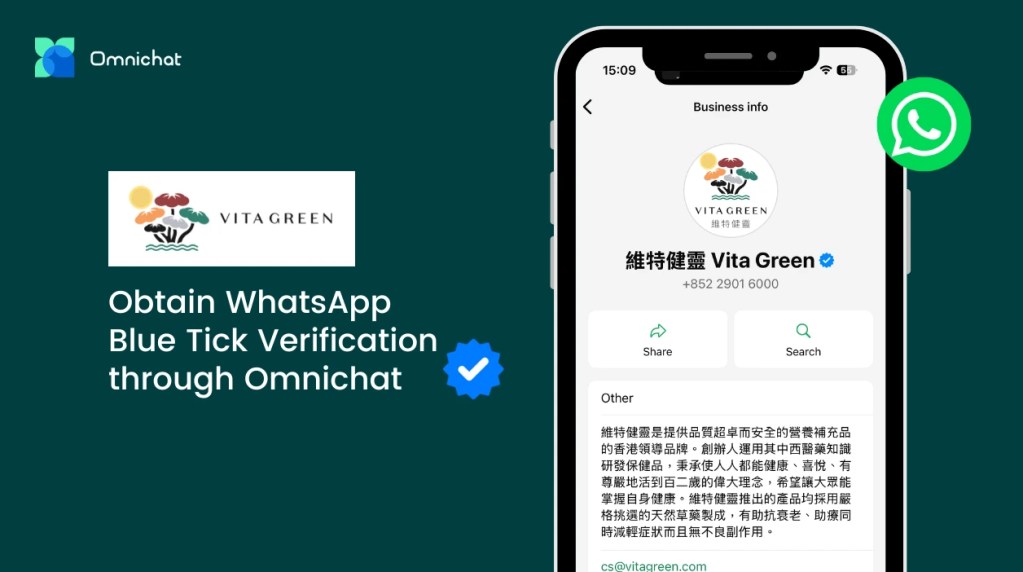
As part of Vita Green’s brand expansion strategy, the company implemented Omnichat’s WhatsApp Business API solutions to connect its online and offline marketing channels. This integration improved customer communication and enhanced the overall customer experience, while helping the brand reach more potential customers. As a result, Vita Green achieved a 50 percent click through rate and 60 percent automation in its customer engagement workflows.
As an official WhatsApp Business Solution Provider, Omnichat helps brands set up and scale WhatsApp Business API use cases, from business profile setup and automation to customer engagement workflows. Beyond verification readiness, Omnichat supports brands with chatbot automation, broadcast messaging, CRM integration, product catalog and payment flows, and omnichannel customer conversations across WhatsApp, Instagram, Facebook Messenger, LINE, WeChat, and website live chat.
By using the official WhatsApp Business Solution Provider, Omnichat, businesses can leverage the following features to develop and implement their WhatsApp marketing strategy:
- Unified management of multi-channel conversations in one place
- 24/7 automated chatbot to enhance team productivity and efficiency
- Multi-channel coupons that can be used both online and offline
- WhatsApp product catalog and payment integration for a seamless customer journey
- Social CRM for customer segmentation and precise remarketing
- Integration of online and offline sales, offering one-on-one sales and tracking cross-channel sales performance
Book a Consultation