
With the rapid rise of conversational commerce, customers increasingly demand seamless purchasing experiences. Major messaging platforms are integrating e-payment features to provide a one-stop journey from inquiry to ordering and payment. Among these, Meta’s WhatsApp Pay (WhatsApp Payments) has garnered the most attention from businesses and consumers alike. How exactly does WhatsApp Pay work? Can individuals or merchants in Hong Kong use it? This article provides a comprehensive analysis of WhatsApp Pay’s benefits, regional availability, setup procedures, and how Hong Kong merchants can leverage Omnichat to connect with the WhatsApp Business API for an effortless in-chat payment experience.
What is WhatsApp Pay?
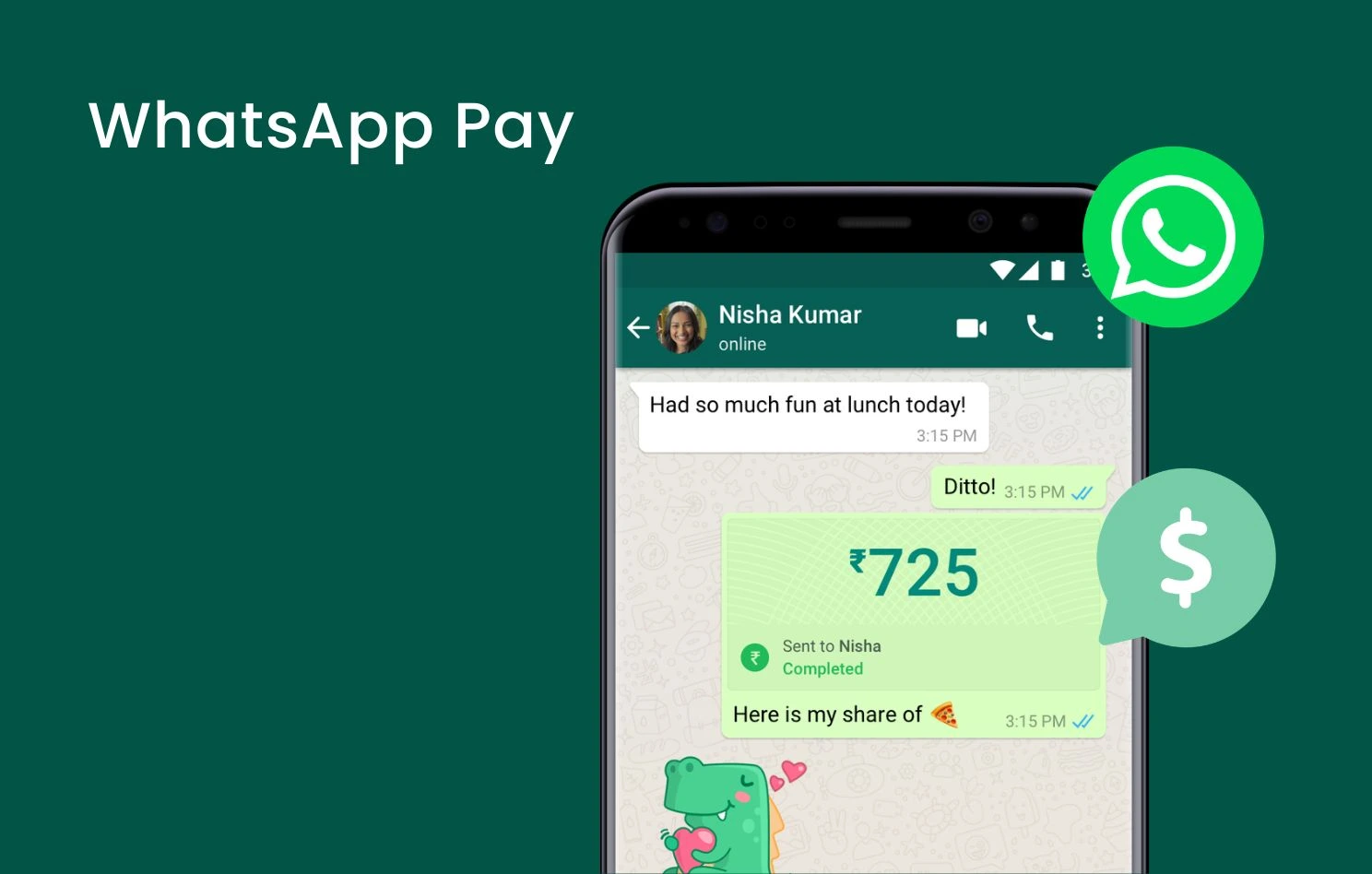
WhatsApp Pay (WhatsApp Payments) is an in-app feature developed by Meta for its messaging platform, WhatsApp. It enables users to transfer funds, pay for purchases, or receive payments directly within a chat window without leaving the app.
In terms of operation, WhatsApp Pay integrates local real-time payment systems (such as UPI in India, Pix in Brazil, and certified third-party payment gateways) to streamline traditional multi-step payment processes into an in-chat payment model, delivering a brand-new solution for conversational marketing.
Which Countries and Regions Support WhatsApp Pay?
Due to strict financial regulations, anti-fraud mechanisms, and local compliance requirements across different countries, Meta is rolling out WhatsApp Pay in phases. Currently, it is officially available in the following primary markets:
- India:
- Supported Types: Peer-to-Peer (P2P) and Business Payments (P2M).
- How It Works: Deeply integrated with the National Payments Corporation of India’s (NPCI) UPI system. Users can link any UPI-enabled bank account and make instant, fee-free transfers using their UPI PIN.
- Brazil:
- Supported Types: Peer-to-Peer (P2P) and Business Payments (P2M).
- How It Works: Powered by Meta Pay and processed by local payment processor Cielo. Personal transfers are free, while business accounts pay a transaction fee of approximately 3.99%. Transaction limits are set at 1,000 BRL per transaction and 5,000 BRL per month.
- Singapore:
- Supported Types: Business Payments Only.
- How It Works: Partnered with Stripe to allow customers to pay eligible local merchants directly in the chat using credit cards, debit cards, or PayNow. P2P transfers are currently not supported.
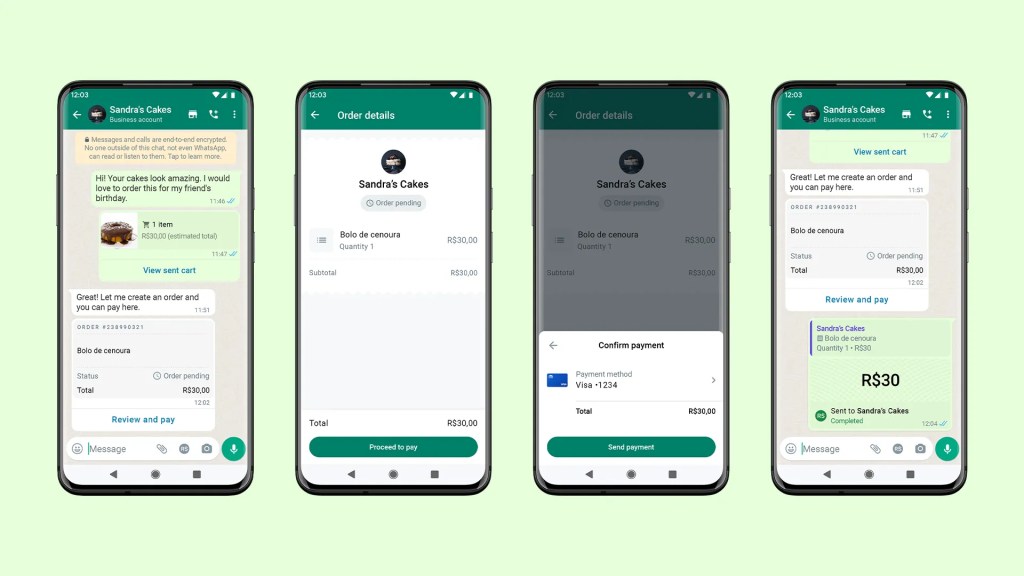
Source: WhatsApp
Can You Use WhatsApp Pay in Hong Kong?
Currently, official native WhatsApp Pay is only available in select markets like India, Brazil, and Singapore. Individual users in Hong Kong cannot use this feature for direct peer-to-peer transfers.
However, this does not stop Hong Kong businesses from launching conversational commerce! Hong Kong merchants simply need to activate the WhatsApp Business API and connect to a third-party conversational commerce platform (such as Omnichat) to flexibly utilise the Chat To Order feature. Whether sales representatives create custom orders for customers during a chat or customers self-select items from the WhatsApp Catalog, order placement and payment can be completed seamlessly directly within the chat window.
In terms of payment options, two major third-party payment systems are currently supported:
- Stripe: Supports Credit Card and Apple Pay payments.
- Global Payments: Supports Credit Card payments.
What Are the Benefits of WhatsApp Pay?
Implementing payment functionality within WhatsApp chats significantly simplifies the transaction journey, delivering clear advantages for both buyers and sellers:
Streamlined Checkout Process
Traditional online shopping requires redirecting to external websites, logging in, and manually entering credit card details—friction points where customers frequently drop off. Completing orders and payments directly within the chat shortens the purchase path and boosts conversion rates.
Seamless Blend of Support and Sales
Customer support or sales teams can generate custom payment links or send curated shopping lists while answering customer inquiries, achieving a seamless “inquire instantly, order immediately” flow.
Transparent and Manageable Transactions
Customers can easily review order details, product specs, and chat histories in the same thread. Transaction data can also automatically sync to corporate CRM systems for customer tagging and precision re-marketing.
One-Stop After-Sales Care
Once a payment is completed, order inquiries, tracking, or exchange requests can all be handled within the same chat window without opening other apps or repeatedly providing order numbers.
How to Set Up and Use WhatsApp Pay?
To enable and use native WhatsApp Pay features (applicable in designated regions like India and Brazil), follow these setup and operating procedures:
Personal Account Setup
- Open WhatsApp and go to Settings > Payments.
- Tap Add Payment Method and select your bank from the list (the phone number registered with the bank must match your WhatsApp number).
- Complete SMS verification, enter your debit card details/UPI PIN, or set up a Facebook Pay PIN to complete verification.
Business Account Setup (Taking Brazil as an example)
- Go to the Payments tab in the WhatsApp Business App and select Get Paid for Sales.
- Accept the Terms of Service and register/link a merchant account with the third-party payment processor (such as Cielo).
- Fill in your registered business details, personal identity information, and payout bank account. Once verified (approx. 1–3 business days), you can start accepting payments.
Initiating Payments/Requests in Chat
- Open a chat with the recipient and tap the Attachment icon (paperclip or + sign) next to the text box.
- Select Payment, enter the amount, and add an optional note.
- Tap Send and enter your security PIN (or verify via Face ID / fingerprint). The transaction status will immediately display in the chat thread.
Upgrade to Omnichat WhatsApp Business API to Experience WhatsApp Payments
Through Omnichat’s WhatsApp Shop catalog and payment features, customers can browse, select, order, and pay inside WhatsApp anytime, enjoying a smooth, end-to-end shopping journey.
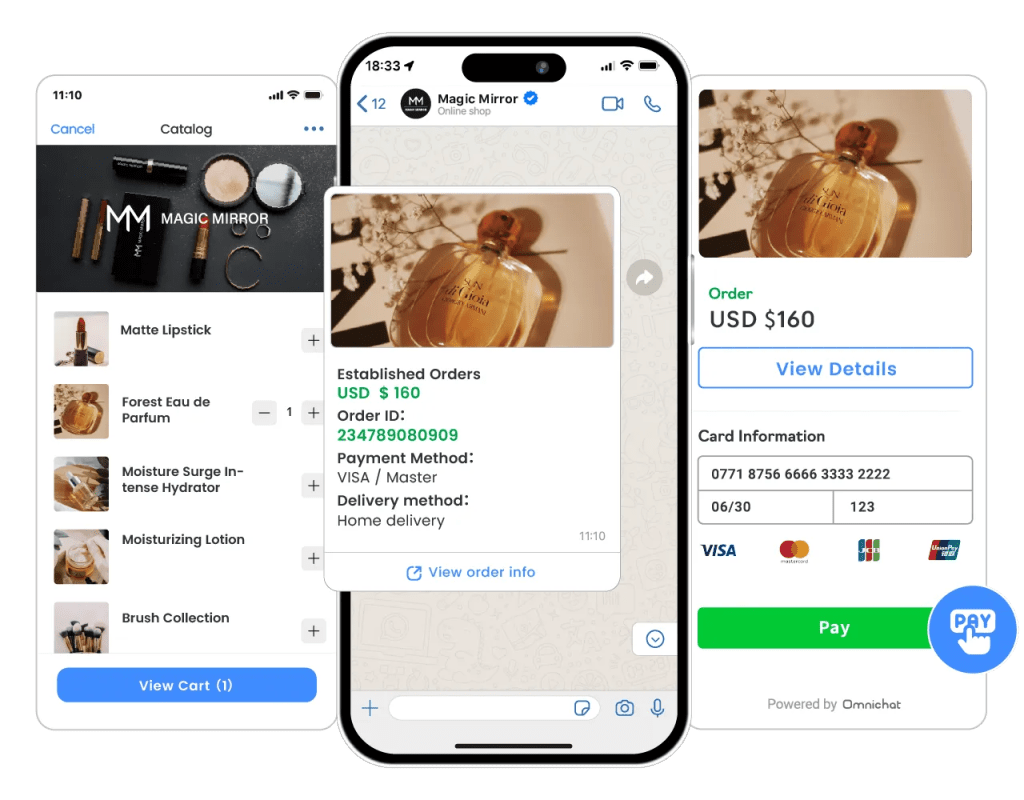
- Step 1: Set Up Product Catalogs: Brands can integrate a WhatsApp Catalog into their WhatsApp Shop, use tags to segment target audiences, and broadcast personalised messages to boost precision marketing and engagement.
- Step 2: Customer Product Selection: Customers shopping on WhatsApp can add items to their cart at any time, enjoying an uninterrupted shopping experience.
- Step 3: Ordering and Payment: Customers can complete order placement and payment directly within WhatsApp for a frictionless checkout experience. Automated bots can handle common checkout queries in real time to resolve doubts instantly.
Built on the enterprise-grade WhatsApp Business API, all product browsing, conversations, and payment procedures in WhatsApp Shop are end-to-end encrypted to safeguard commercial transaction security and customer data privacy.
Book a Consultation
FAQ
Which countries and regions support WhatsApp Pay?
India: Supports P2P and business (P2M) payments integrated with the local UPI system.
Brazil: Supports P2P and P2M payments powered by Meta Pay and processed by Cielo.
Singapore: Supports business payments only, partnering with Stripe for in-chat checkouts.
Can users in Hong Kong directly transfer or pay money using WhatsApp Pay?
What requirements and setups are needed for merchants to enable WhatsApp Pay?
In Non-Native Markets (e.g., Hong Kong): Open a WhatsApp Business API account and connect payment gateways through Omnichat or similar platforms.