Key Takeaways
1. WhatsApp new features in 2026 improve communication, privacy, and group coordination, including polls, communities, channels, transcripts, voice chat, and chat lock controls.
2. Recent WhatsApp updates add practical, most requested improvements like Group Message History for new members, stronger privacy settings, member tags, and event reminders.
3. WhatsApp Channels are one-way broadcasts to unlimited followers, while Broadcast messaging supports more targeted business communication.
4. Hidden features such as Advanced Chat Privacy, Secret Code for Chat Lock, and View Once for Voice Messages strengthen conversation security.
5. Businesses that need automation, segmentation, and multi-user collaboration can scale via WhatsApp Business API integration through Omnichat, with tools like broadcasts, AI chatbots, and performance tracking.
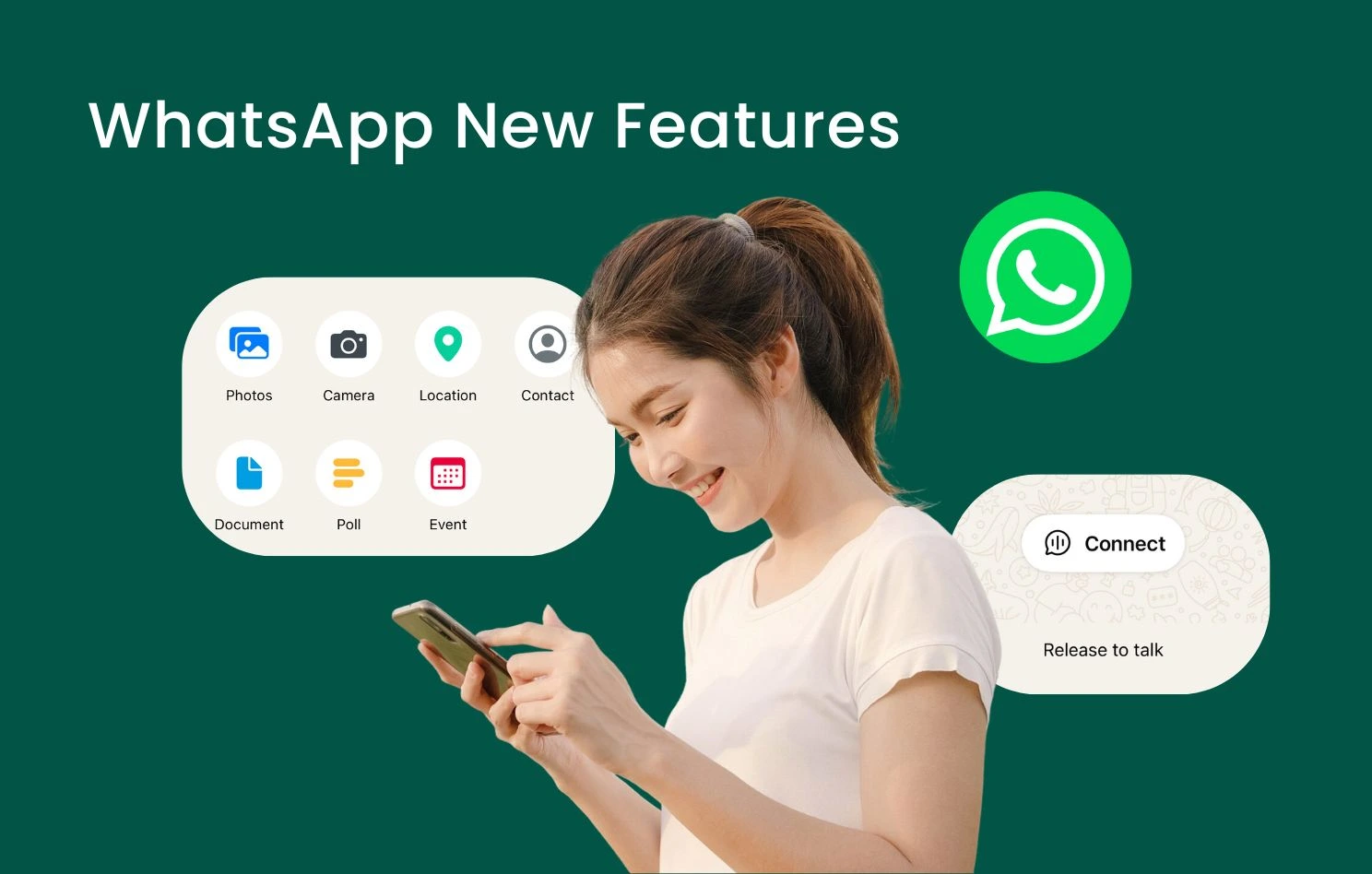
WhatsApp continues to roll out WhatsApp new features that improve everyday communication, privacy, and group interactions. Many of these updates respond directly to users’ most requested features, including practical improvements like Group Message History for new members and enhanced privacy controls that help keep things simple while staying secure. From polls and communities to channels, voice message transcripts, and new chat privacy settings, each WhatsApp update adds tools that help users stay organised and connected.
This guide breaks down the most useful WhatsApp features in 2026 and explains how they work in real scenarios. For businesses that need automation, segmentation, and multi-user collaboration beyond the consumer app, integrating the WhatsApp Business API via Omnichat unlocks advanced capabilities designed for commercial messaging. This allows brands to manage conversations at scale, improve operational efficiency, and strengthen customer engagement without losing the personal touch that makes WhatsApp effective.
The most important WhatsApp new features in 2026 include polls, communities, channels, voice message transcripts, voice chat in groups, sticker creation tools, video call effects, advanced chat privacy, secret code chat lock, view once voice messages, and Group Message History for new members. For businesses, the WhatsApp Business API unlocks advanced automation, broadcast messaging, AI-powered chatbots, and multi-user management beyond standard app features.
Latest WhatsApp Features (2026 Updates)
WhatsApp Polls Feature
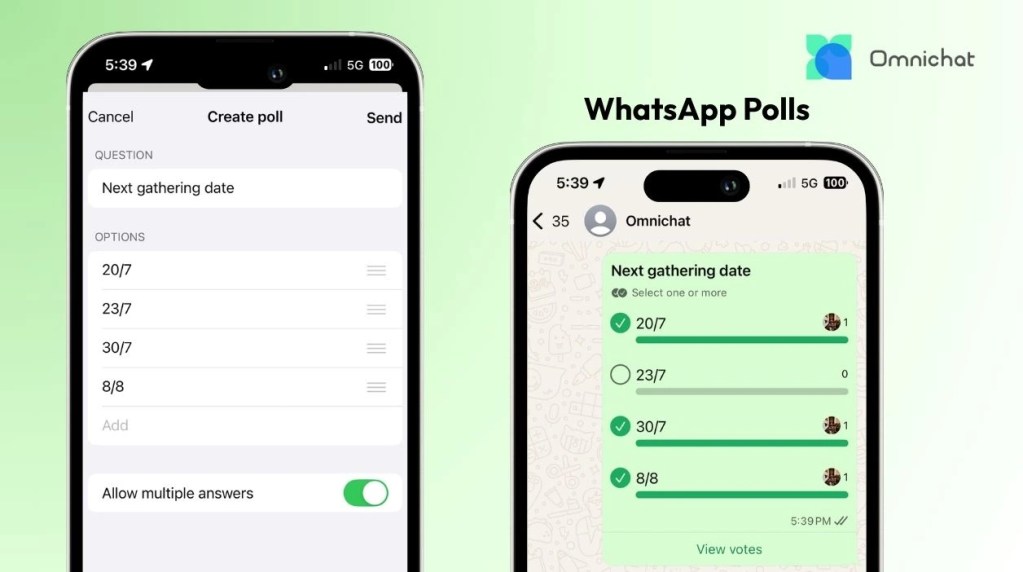
Within any WhatsApp chat, tap the “+” icon in the bottom left, select “Poll,” and then enter your question with up to 12 options. Group members can choose more than one answer; to restrict to a single choice, simply turn off “Allow multiple answers.” Once the poll begins, members’ votes are reflected instantly in the chat. The poll creator also receives notifications when votes are cast, allowing for easy, real-time monitoring of poll results.
WhatsApp Communities Feature
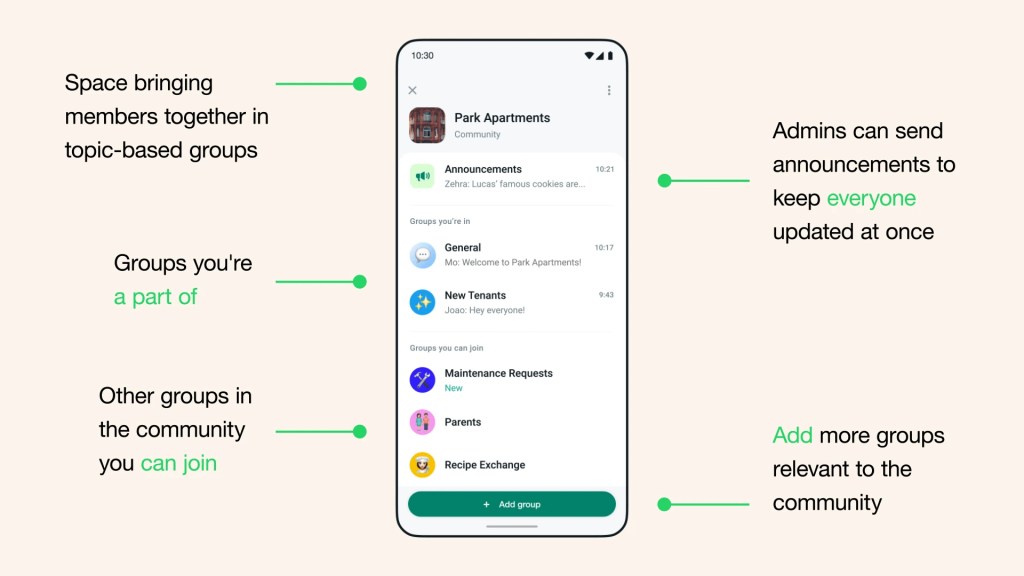
The Communities feature consolidates multiple groups into one large community, especially benefiting large organisations like businesses, schools, religious groups, and non-profits. Community administrators can share important announcements and create events for members.
To foster closer connections within communities, anyone can now create events, such as scheduling virtual meetings or birthday gatherings, to which others can respond. Guests can also view events on the group’s info page, and participants automatically receive notifications just before an event begins.
To create a community, go to the Chats tab, tap the “+” icon in the top right, select “New Community,” then enter a name and add a profile picture. Each user can create WhatsApp Communities with up to 100 groups, and each community can accommodate up to 2,000 members.
Source: WhatsApp
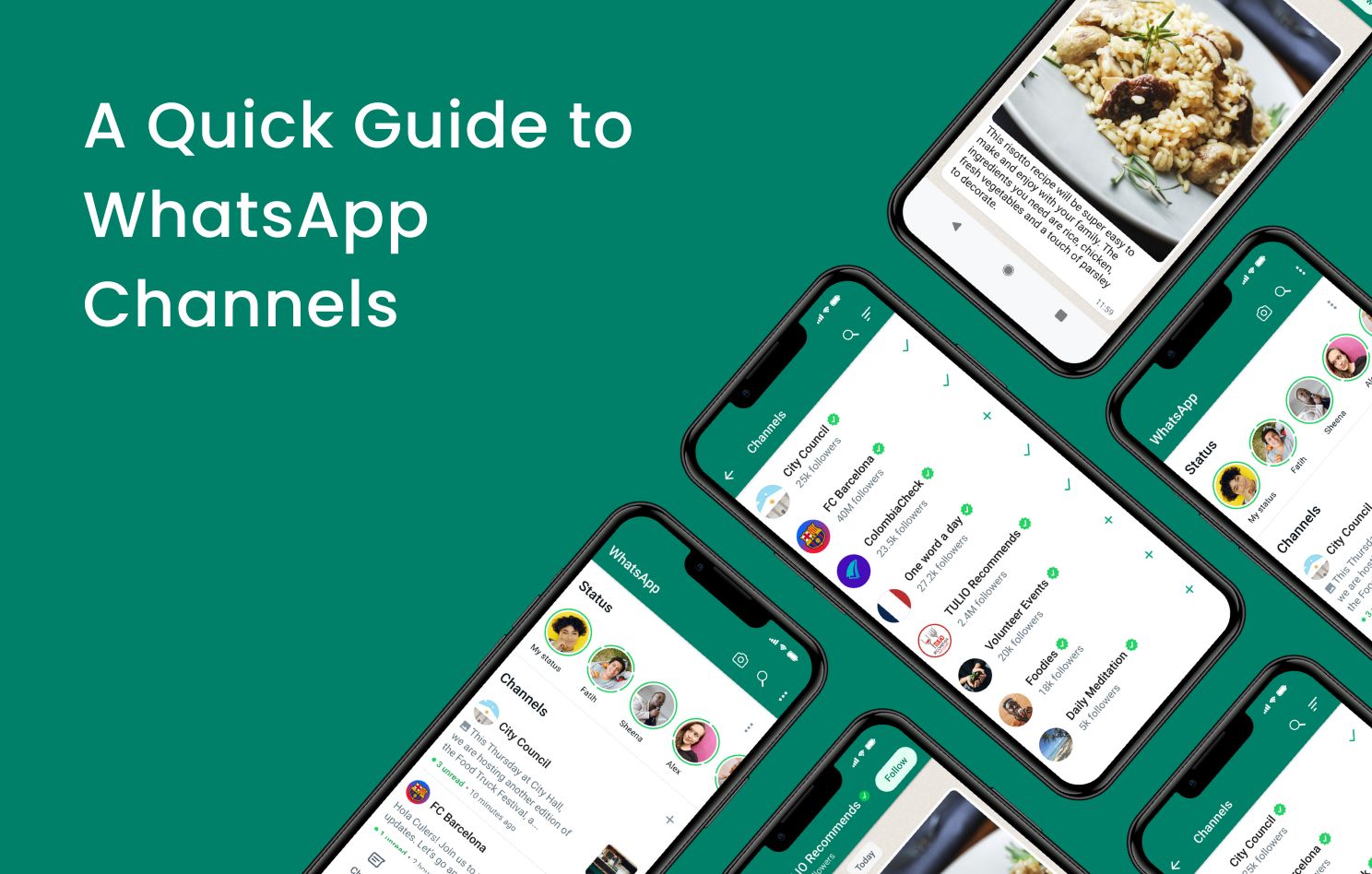
WhatsApp Channels
WhatsApp Channel administrators can use their channel to send one-way broadcasts of updates and information to both existing and new followers, reaching an unlimited audience. Content can be diverse, including text, information links, photos, and videos. Users can follow their favorite organisations and public figures to receive real-time updates.
Administrators can also view key performance metrics for their channel over the past 30 days, including:
- Channel Growth and Reach: Number of accounts reached, regional ranking, follow/unfollow counts.
- Follower List: Total followers, distinguishing which are also contacts.
- Content Engagement: Details on message reactions (e.g., emoji types and counts), and poll results, to help optimise content strategy.
However, WhatsApp Channels are one-way broadcasts without segmentation. If you plan to precisely target audiences with updates and offers based on specific customer preferences and needs, WhatsApp Broadcasts might be a better option.

Voice Message Transcripts
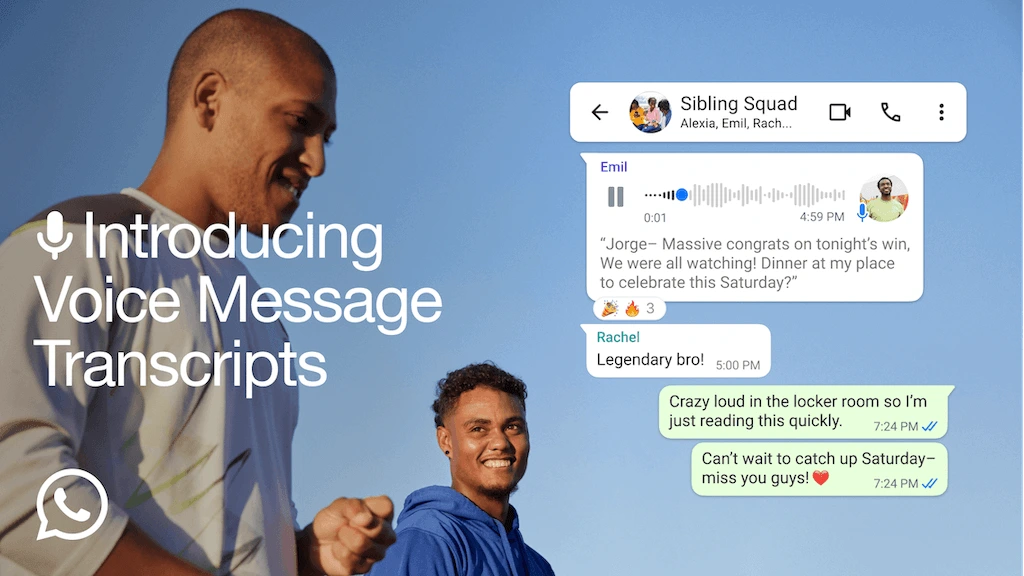
If it’s inconvenient to listen to a voice message, you can transcribe it into text! Simply open WhatsApp Settings, tap “Chats,” then tap “Voice Message Transcripts” to easily enable or disable the transcription feature and select the transcription language (both Chinese and English are supported). When a voice message appears in a chat, you can long-press the message and tap “Transcribe“. Since transcriptions are generated on your device, no third party, including WhatsApp, can listen to or read your voice messages.
Source: WhatsApp
Voice Chat on WhatsApp: Audio Hangouts
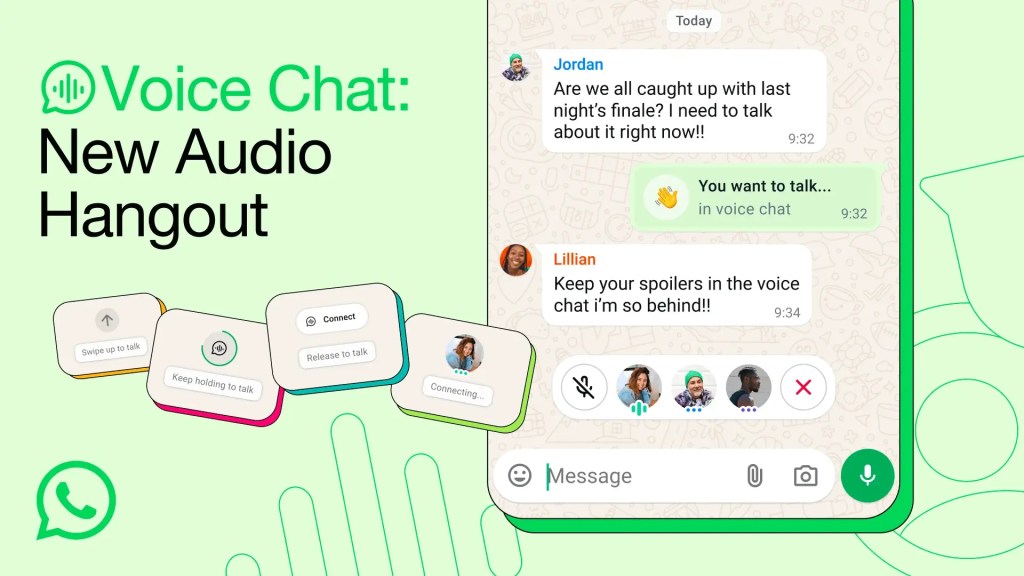
To instantly converse with people online in a group, you can use the new Voice Chat feature. Any group member can simply go to the bottom of the chat, swipe up, and hold for a few seconds to see “Connect“. Tapping it will start a voice chat. Opening a voice chat does not notify or call anyone. The voice chat remains fixed at the bottom of the group chat, allowing users to easily access call controls, and members can join and leave the hangout at any time.
Source: WhatsApp
Create WhatsApp Stickers
WhatsApp now allows users to create stickers directly within the app, eliminating the need for third-party software. With the built-in custom sticker maker, users can easily convert photos into exclusive stickers and personalise them using editing tools like cropping, text, and drawing.
Users can even directly transform selfies into stickers. Simply tap the sticker icon, then “Create Sticker,” and the camera option will appear for you to take a photo and create a sticker. Furthermore, users can utilise the animated sticker maker to turn their favorite videos into moving stickers, making messages even more vibrant and eye-catching. All created stickers are automatically saved to WhatsApp’s sticker collection for easy access and sharing with friends and family.
Add Filters and Backgrounds on Video Calls
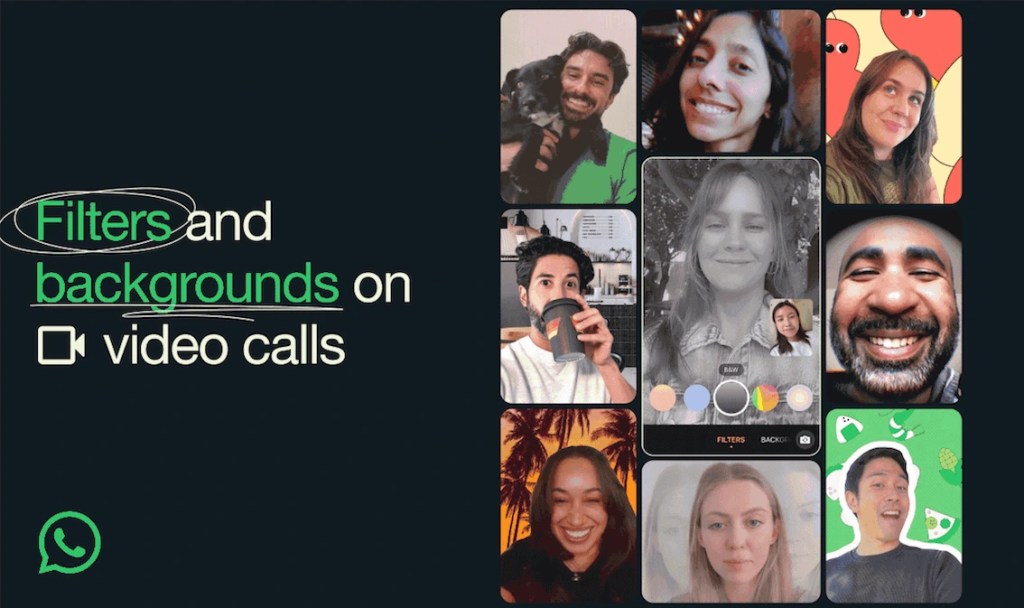
WhatsApp video calls now offer a variety of special effects options. Users can instantly change backgrounds or add filters during video calls by tapping the “effects” icon in the top right corner of the screen to browse and select from available filters and backgrounds. WhatsApp provides 10 filters and 10 backgrounds, allowing users to mix and match freely to create a unique video call appearance. Filters include styles like “Warm,” “Cool,” and “Black & White,” while background options such as “Living Room,” “Office,” and “Beach.” Additionally, when capturing and sending photos or videos within a chat, there are 30 background, filter, and effect options to add variety and fun to your visuals.
Source: WhatsApp
Meta AI on WhatsApp
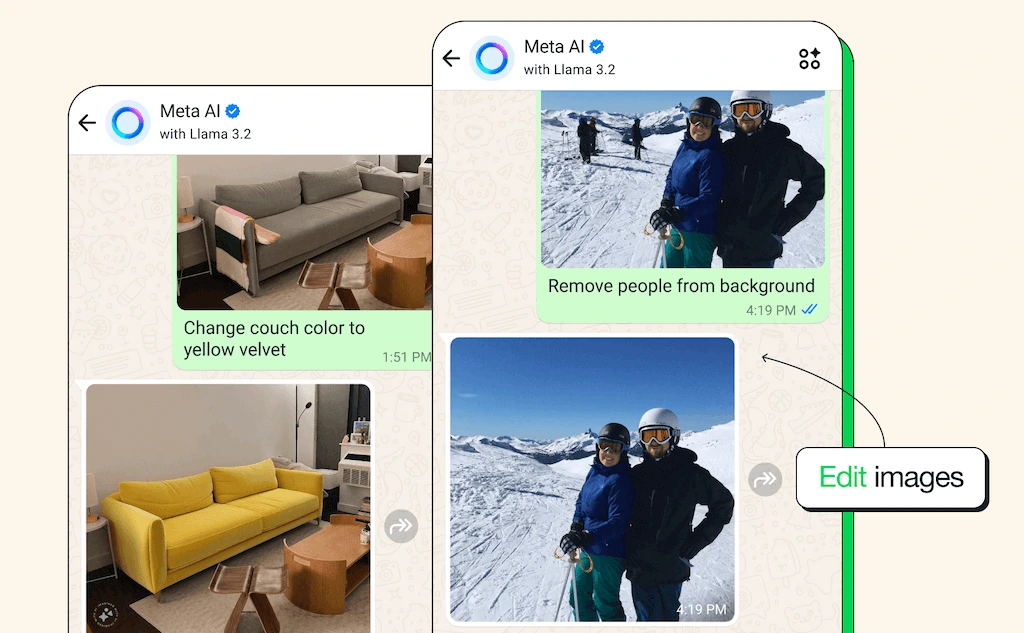
Users can talk to Meta AI directly on WhatsApp, and even send photos for editing. By simply pressing the waveform button to ask questions and receive replies from Meta AI. For photos, users can send images to Meta AI for various purposes, such as taking a picture of a foreign language menu and requesting a translation, or photographing a plant to ask for care instructions. Meta AI can also help users edit their own photos, including adding, removing, or changing objects—for example, removing background clutter or altering an object’s color.
Please note: This feature is not yet available in Hong Kong. Hong Kong users will need to wait patiently for its release.
Source: WhatsApp
WhatsApp Hidden Features
Given the widespread concern over WhatsApp conversation privacy, WhatsApp has developed multiple privacy protection measures, such as disappearing messages and chat lock features. By configuring certain hidden options, users can further safeguard their message privacy.
Advanced Chat Privacy
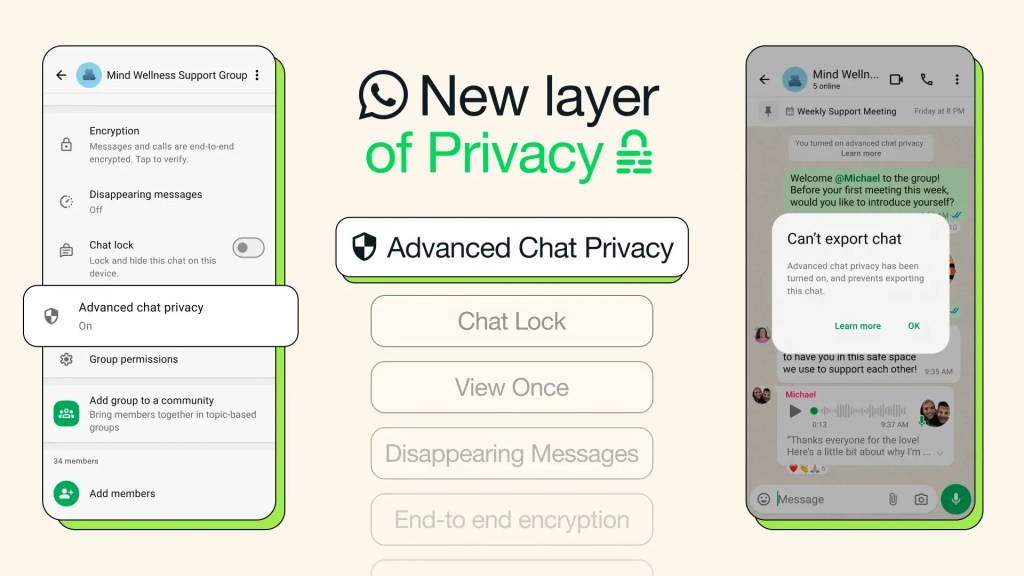
When not all members of a group are familiar with each other, or when discussing sensitive topics, users can enable this feature by tapping the chat name and then tapping “Advanced Chat Privacy.” This setting will block others from exporting chat content, prevent others from automatically downloading media files to their phones, and restrict others from using message content for AI purposes, ensuring that conversation content does not leak.
Source: WhatsApp
Secret Code for Chat Lock
To prevent private conversations from being accessed, you can long-press on a person/group in the chat page to lock the chat. However, if someone else has your device passcode, they could still unlock that hidden conversation.
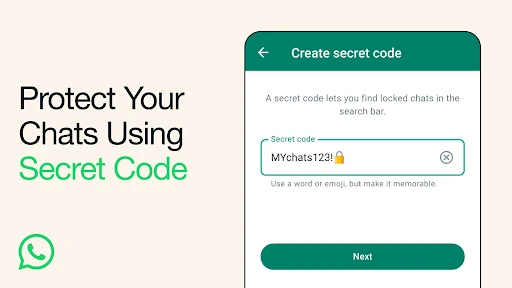
Therefore, after locking a chat, you can go into “Locked Chats” in the chat list and create a secret code—a dedicated passcode different from your phone’s unlock password. This secret code allows you to find locked chats in the search bar and open them on some linked devices.
Source: WhatsApp
View Once for Voice Messages
WhatsApp previously introduced View Once for photos and videos, which has now been extended to voice messages. Whether sharing credit card details or planning a surprise party, users can now more securely send confidential information via voice messages. These “view once” voice messages will be clearly marked with a “one-time” icon, reminding recipients that the message can only be played once.
Unlock More WhatsApp Business Features with Omnichat (WhatsApp Business API)
While the aforementioned WhatsApp features suffice for individual users’ daily communication needs, businesses looking to leverage WhatsApp further to enhance operational efficiency and customer engagement can integrate with the WhatsApp Business API via Omnichat. This unlocks a series of advanced features designed specifically for commercial use, helping brands build stronger communication bridges with customers and effortlessly convert every conversation into business.
One-stop Seamless Shopping Journey on WhatsApp
Brands can import product catalogs into their WhatsApp Business account, allowing customers to browse products or services, add items to their cart within WhatsApp, and complete payment directly within the chat.
AI-Powered Chatbots for Automation
Deploy intelligent chatbots on WhatsApp that handle inquiries, recommend products, and assist with transactions, reducing operational costs while improving customer engagement.
Broadcast Messaging for Promotions
Send bulk WhatsApp messages with segmentation features to target the right audience. This allows for sending large volumes of messages at once without being blocked, ensuring personalised and effective marketing campaigns.
Coupon Marketing
Distribute digital coupons via WhatsApp API across both online and in-store channels. Track redemptions to optimise performance and boost sales.
Multi-User WhatsApp Account Management
Seamlessly manage multiple WhatsApp conversations across departments with multi-user access and team-based auto-routing.
Book a Consultation