
WhatsApp is an essential tool for daily communication and business connections, but failing to follow platform rules can result in sudden account blocks or suspensions. Once suspended, users cannot access chat history or backups during the ban period. This article explains WhatsApp account ban types, common causes, unban appeal steps, and prevention measures to help keep your account safe.
Key Takeaway
・Block Statuses: WhatsApp enforcement includes “Account Restricted,” “Temporarily Banned,” and “Account Disabled.”
・8 Common Reasons: Includes using unofficial mods, sending automated/bulk messages, unauthorised scraping, using purchased contact lists, accumulating user reports, sharing illegal/misinformation content, impersonation/recycled numbers, and device blacklisting.
・Unban Methods: Without phone hotlines, personal accounts can appeal via the in-app “Request a review” button or the official web “Contact Us” form.
・Prevention Tips: Always use official apps, contact consenting users, respect group exits, limit message forwarding, and utilise group admin settings.
WhatsApp Personal Account Block Statuses
Source:WhatsApp
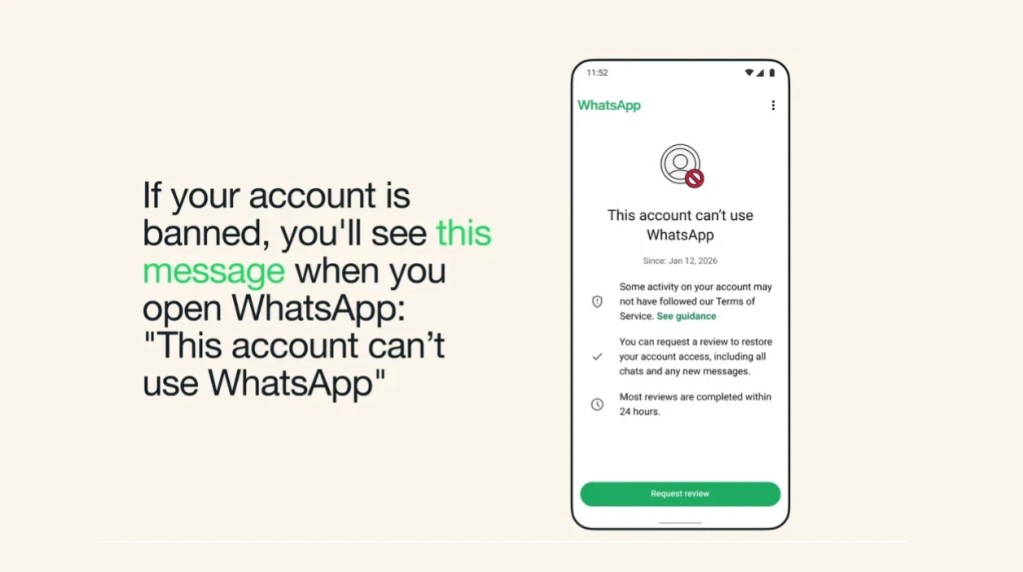
WhatsApp account blocks fall into three severity levels: “Account Restricted,” “Temporarily Banned,” and “Account Disabled”:
| Block Status | System Prompt | Impact on Account Permissions | Common Causes | Resolution Method |
| Account Restricted | Shows “Your account is restricted right now.” | Warning status. You can still reply to existing chats or groups, but cannot start new chats, create new groups, or use linked devices. | Triggers system risk scores. | Usually temporary. Stop abnormal activities and wait for the countdown to end. |
| Temporarily Banned | Shows “Temporarily banned” or displays a countdown timer (usually 24 to 48 hours). | Temporarily unable to use the account normally. High risk of permanent ban if repeated. | Mostly due to unauthorised apps or sending high message volumes in a short time. | Delete third-party add-ons immediately, switch back to the official app, and wait for the countdown. |
| Account Disabled / Suspended | Shows “This phone number can’t use WhatsApp” or “This phone number is banned from using WhatsApp”. | Full termination of account permissions. Cannot log in or use any features. | Severe violations of Terms of Service, such as bulk spam, multiple user reports, or unauthorised automation. | Submit an official appeal to WhatsApp. |
Note: Third-party services cannot unban accounts on your behalf. Only WhatsApp has the authority to issue or lift bans.
Common Reasons for WhatsApp Account Blocks
According to WhatsApp’s Terms of Service and common user violations, primary causes for account blocks include:
- Using Unofficial or Modified WhatsApp Apps
Many users download modified apps like WhatsApp Plus or GBWhatsApp for extra features. However, these unofficial apps lack official security vetting. WhatsApp accurately detects unauthorised clients and enforces temporary bans or permanent suspensions upon detection. - Bulk or Automated Messaging
Using automated tools or bots to blast promotional messages to large audiences, or frequently broadcasting to users who haven’t saved your number, constitutes severe abuse. WhatsApp uses automated detection systems to spot extreme sending speeds and abnormal broadcast behavior. Frequent broadcasts to non-contacts will fail to deliver and result in immediate account bans for spamming. - Unauthorised Data Scraping
Using tools to scrape user data (such as phone numbers, profile photos, or status updates) from WhatsApp violates privacy policies. The system immediately blocks accounts caught scraping data. - Using Unauthorised Contact Lists
Messaging strangers using purchased or illegal phone lists is extremely high-risk. Adding strangers to groups without consent also invades privacy, triggering user complaints and system security alerts. - Accumulating High User Reports or Blocks
Sending unsolicited messages without honoring requests to stop leads to frequent user reports. WhatsApp prioritises user safety, and accumulating a high volume of reports in a short period triggers direct account blocks. - Distributing Violating Content or Misinformation
Sharing unverified fake news, or sending content containing illegal, threatening, intimidating, hateful, or discriminatory language, severely violates Terms of Service and often leads to permanent suspensions that are difficult to appeal. - Impersonation or Using Recycled Phone Numbers
Impersonating public figures, brands, or individuals for fraudulent purposes is flagged as a major security threat. Additionally, using recycled phone numbers previously banned under a past owner may trigger false positives during initial login. - Device Hardware Blacklisting
WhatsApp tracks hardware identifiers. If a smartphone has logged into multiple banned accounts, the device hardware ID may be blacklisted. Logging in with a new phone number on the same flagged device can trigger immediate automated bans.
How to Unban a Blocked WhatsApp Account
WhatsApp does not guarantee account restoration. However, submitting clear information acknowledging compliance steps improves recovery odds. Note that WhatsApp does not offer telephone support; all appeals must be completed online.
Unban Method 1: In-App Appeal
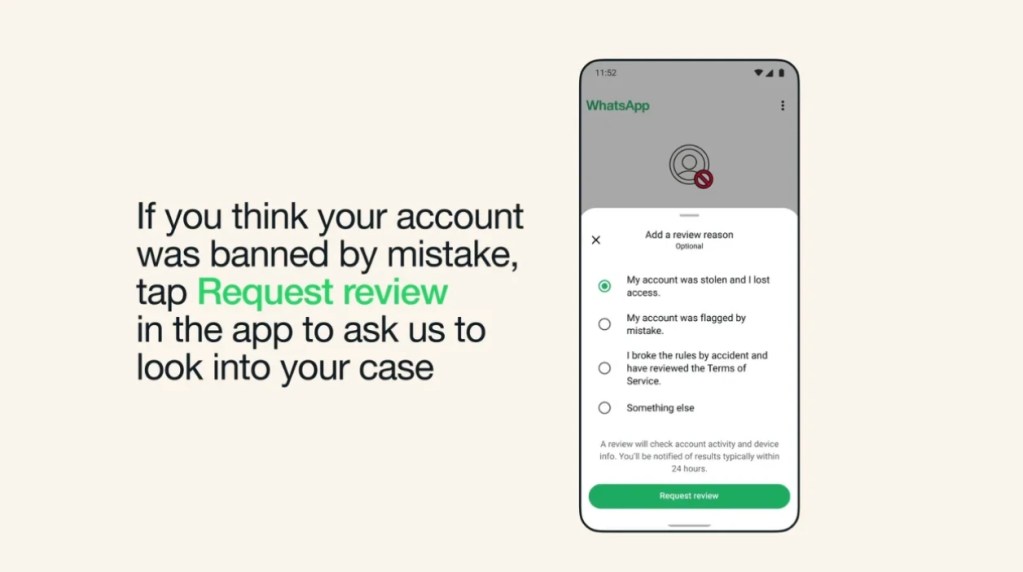
Open WhatsApp and tap “Request a review” at the bottom of the screen. The system auto-fills device details, and most reviews complete within 24 hours.
Source:WhatsApp
Unban Method 2: Official Website Appeal
If your in-app appeal is rejected, if the “Request a review” button does not appear, or if you cannot log into WhatsApp at all, visit the official WhatsApp Support page, click “Contact Us,” and submit your appeal through the official web form.
If your business account is blocked, read our dedicated guide on WhatsApp Business account restrictions, temporary bans, suspensions, and review methods.
How to Prevent Your Personal WhatsApp Account from Being Re-Banned
Repeat violations after an unban often result in permanent, non-appealable suspensions. Follow these official best practices:
Communicate Only with Known or Consenting Contacts
Send messages only to users who have contacted you first or explicitly requested communication.
Obtain Permission and Respect Boundaries
Always ask for consent before adding users to group chats. If a user leaves a group, respect their choice and do not re-add them forcibly.
Think Twice Before Forwarding Messages
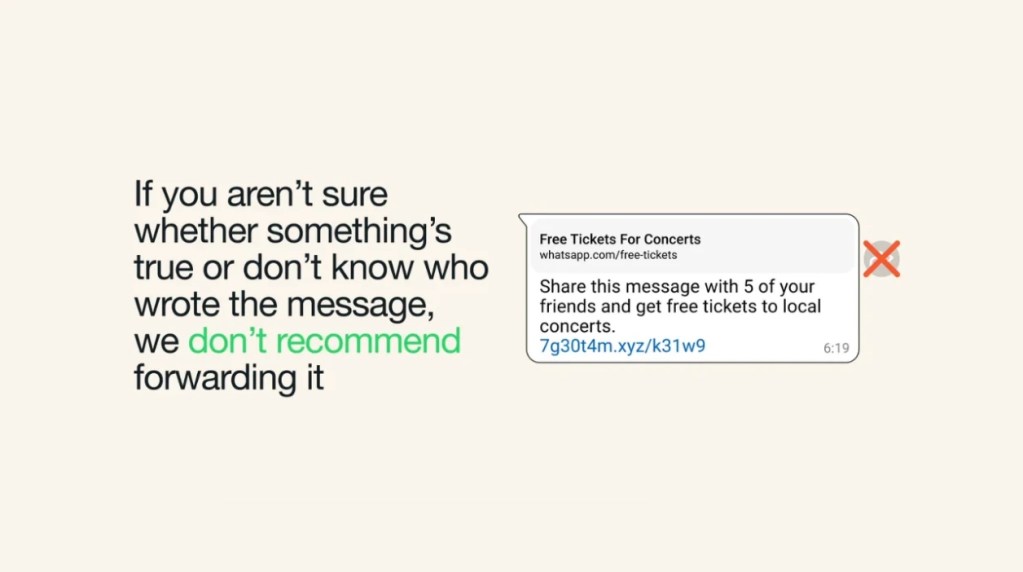
Forwarded messages are labeled and subject to forward limits. Verify content authenticity before sharing to avoid spreading misinformation.
Source:WhatsApp
Use Group Admin Controls
Group admins should enable “Only Admins Can Send Messages” to reduce unwanted messages and group spam.
Use Official WhatsApp Software Strictly
Download official WhatsApp or WhatsApp Business apps exclusively from Apple App Store or Google Play Store. Avoid unauthorised mods, add-ons, or unofficial automation software.
Book a Consultation