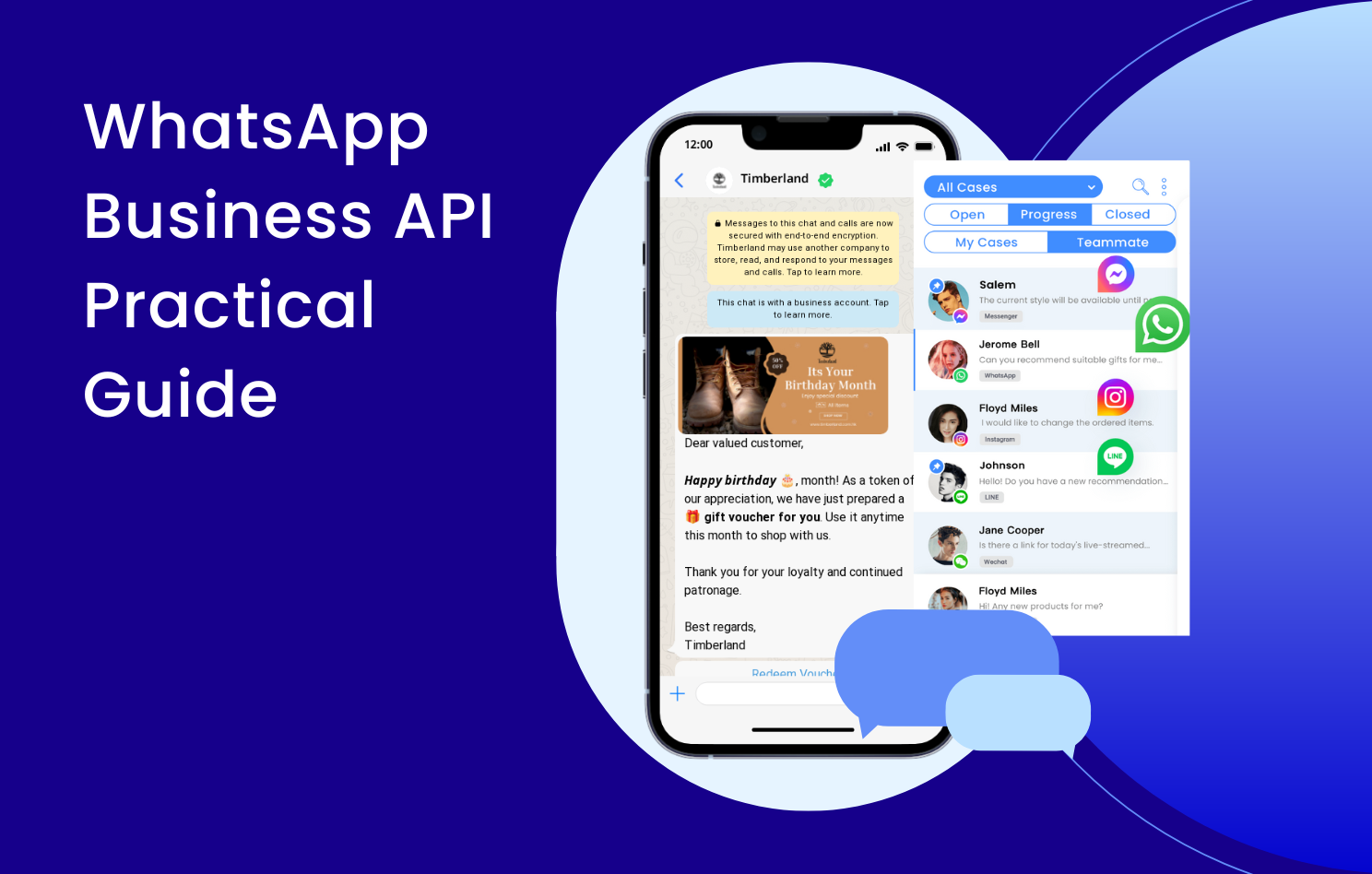
Whether it’s a small business, an electronics brand, or a medium to large enterprise, WhatsApp Business provides businesses with a platform for direct customer communication. The WhatsApp Business API is an evolution of WhatsApp Business, offering the advantages of WhatsApp Business and more flexible messaging capabilities.
For example, after integrating services using the API, multiple users can use the same WhatsApp Business phone number to manage all conversations in one interface, allowing apparent oversight of each team member’s progress in handling conversations.
In addition, the WhatsApp Business API also features automatic keyword responses and the ability to use custom Message Templates for broadcast messaging, enhancing communication between businesses and customers and improving the service experience.

WhatsApp Business API supports multiple users with one number and integrates all conversations into one interface. In addition to being usable on desktops through Omnichat, a developed app allows apparent oversight of each team member’s progress regardless of location.

WhatsApp Business API allows the application of different message templates. By customizing standard templates with images and text, communication becomes more diverse, enhancing brand image and improving customer message experiences, ultimately increasing click-through rates.
WhatsApp Business vs. WhatsApp Business API
WhatsApp Business API inherits the essential functions of WhatsApp Business, making the front line of business-customer relationships more professional.

Business Information on Business Profile: Includes company name, business type, brand description, business hours, company email, website (up to 2)

Automated Replies: Offline messages Away Messages and welcome messages Greeting Messages

Quick Replies
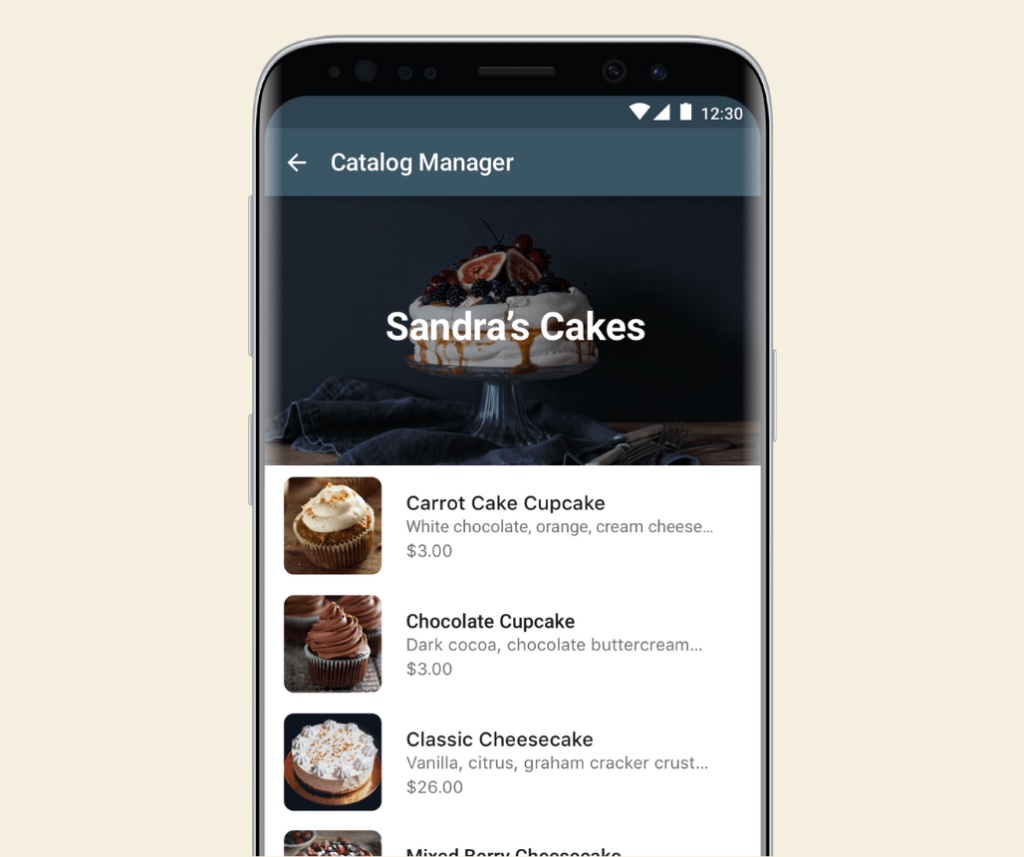
Catalogue: Includes images, prices, descriptions, links

Labels: Labels can be applied to entire conversations or specific messages. WhatsApp Business Basic accounts can use up to 20 labels.
- Business Information on Business Profile
- Operating Hours
- Away Messages
- Greeting Messages
- Quick Replies
- Catalogue
- Labels
- Broadcast Message List
- Statistics
- Shortcomings of WhatsApp Business Version
Disadvantages of WhatsApp Business
A WhatsApp Business Account is not enough for medium to large enterprises. Why?
Unable to have multiple users
One WhatsApp Business business number can only be accessed by one phone or computer.
Unable to ensure that contact information belongs entirely to the company
Contact information stored in WhatsApp Business accounts is stored on phones, making it easy to lose contact information if the phone is lost or there are personnel changes within the company.
Unable to ensure conversation records are appropriately stored
Conversation records in WhatsApp Business business accounts are stored on phones. Without cloud backup, the risk is high.
Message broadcast has sending limits
A maximum of 256 people can be broadcast at once. Unable to proactively import phone numbers for broadcasting.
Unable to obtain official certification Green Tick
Only accounts enabled with WhatsApp Business API can apply for the Green Tick, representing brand credibility.
Differences Between WhatsApp Business and WhatsApp Business API
The most significant difference between WhatsApp Business API and WhatsApp Business business accounts lies in 5 points:
- WhatsApp Business API allows for multi-team collaboration.
- Business API allows for designing automated notifications.
- WhatsApp Business API allows for custom message templates.
- WhatsApp Business API allows for applying Green Tick verification.
- WhatsApp Business API allows for cloud storage of contact information and conversation records.

A multi-person team shares a WhatsApp business number.
Large enterprise customer inquiries typically flood in with hundreds of messages quickly. The limitation of WhatsApp Business’s basic version, which can only support up to 2 people (one mobile, one desktop) for handling, is that it cannot meet the needs of multi-team cooperation in large enterprises.
Enabling WhatsApp Business API through Omnichat supports multiple team usage, and conversations can be handled on desktop and mobile apps. You can also clearly manage conversations in one backend, assign responsible personnel, and effectively track progress in handling conversation events.
Let the company take ownership of “contact information” and “conversation records” and store them properly to reduce risks.
Whatsapp Business API Features

Automated notifications
WhatsApp can replace the functions of traditional email and phone calls. For example, after a successful event registration, WhatsApp Business API can automatically send messages to the registrant’s WhatsApp account.
By enabling the WhatsApp Business API, you can send messages, you can further apply for the Green Tick label, which brings trust and credibility to the brand.
Whatsapp Business API Features
It can also integrate with the enterprise’s existing CRM system to send exclusive messages to VIP customers. With Omnichat, WhatsApp Business API’s automated notifications can automatically send Template Messages to exclusive customers by importing event attendees’ phone numbers. It can also target specific customer segments through tagging and broadcasting suitable messages.
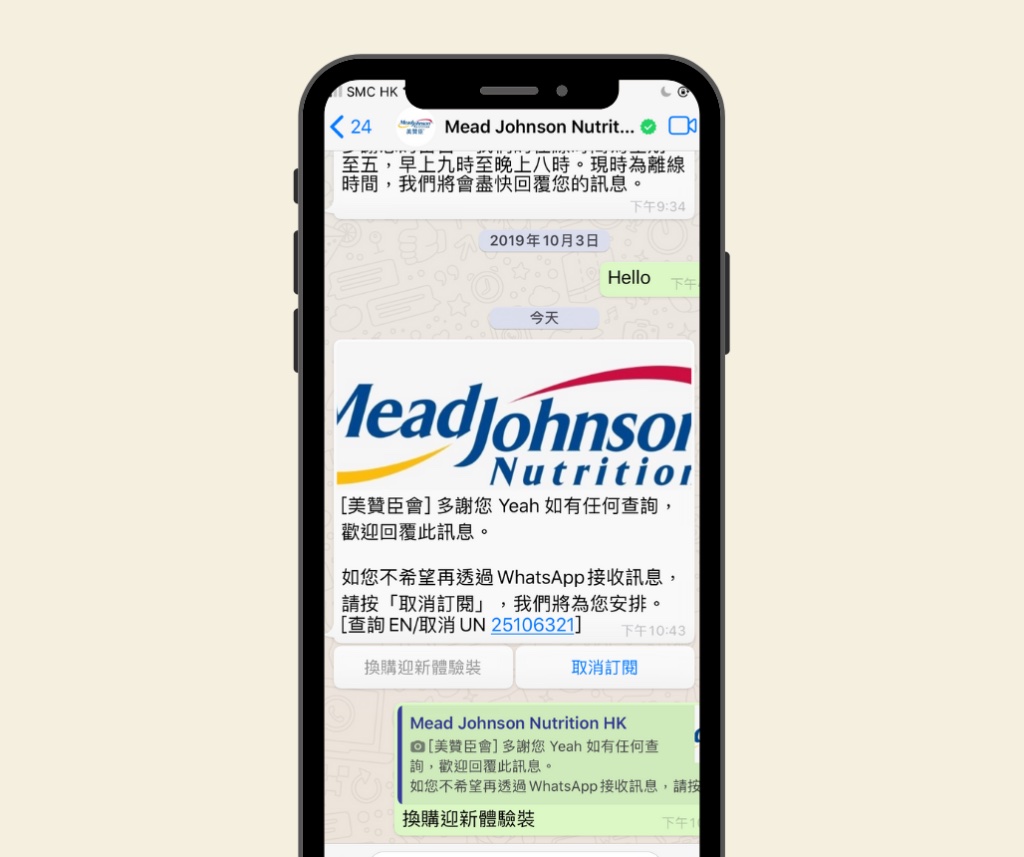
WhatsApp Message Templates can support visually appealing message templates, allowing brands to enhance the reading experience of messages. Conversations are now more than just cold text; they become more professional and attractive, increasing open and click-through rates while reducing the likelihood of being blocked.
Increase the trust in your brand. BRING customer Closer.
The Greatest Advantage of WhatsApp Business API: Creating Closer and Real-Time Message Communication with Customers Life Cycle
If you operate a retail business, you’ll likely receive numerous customer inquiries daily. By utilizing the WhatsApp Business API, you can engage with customers at various stages of the customer journey through conversation, which can increase customer loyalty and brand recognition and ultimately lead to a higher lifetime value of customers.

Awareness Discovery
Segment WhatsApp customers based on different entry points.
- Facebook ad list
- follow-up Offline event
- follow-up EDM click
- follow-up wa.me link
Consideration
Set up automated response messages for common questions to improve the efficiency of the customer service team.
- Product information
- Competitor comparison
- Payment methods
- Personalized recommendations


Conversion
Through API integration, customers who complete shopping, subscribe to newsletters or join memberships on the enterprise system will automatically receive WhatsApp notification messages.
- Order confirmation notification
- Subscription success notification
- Membership join notification
Retention Repurchase/ Revisit
Different messages can be broadcast to your customers through integration with the enterprise’s original CRM system or customer tagging.
- Pre-order product arrival notification
- 30-day inquiry/purchase customer care
- Related product/event update notification
- VIP member event notification

How to Enable WhatsApp Business API?
Only partners certified by WhatsApp can provide WhatsApp Business API application services.
Omnichat is the first technology partner in Asia to be certified by WhatsApp, Facebook, Instagram, and LINE. More than 5,000 brands are using Omnichat, including well-known retail brands such as Benefits Cosmetics, Lukfook Jewellery, and Timberland.
Whether multi-user usage of a WhatsApp Business number, managing conversation statistics, automatic keyword responses, or segmented automatic message broadcasting, all can be achieved through Omnichat!
Book a Consultation