WhatsApp blue tick verification helps businesses show customers that their WhatsApp presence is authentic and trustworthy. The proliferation of fake business accounts on social media has made consumers more cautious when interacting with brands, creating real challenges for companies trying to build trust online. To maintain credibility and stand out, many businesses now apply for WhatsApp Blue Tick Verification, a badge that confirms an account is authentic and officially verified. For companies using WhatsApp, securing WhatsApp blue tick verification is an important step in building brand trust and strengthening customer confidence on the platform. This article covers everything you need to know about WhatsApp blue tick verification, including the application process, eligibility requirements, and tips for success, so your business can stand out and communicate with customers more confidently.
💡Key Takeaways: WhatsApp Blue Tick Verification for Business
– WhatsApp blue tick verification shows that a business account has been officially verified by Meta, helping customers identify authentic brands and avoid confusion with fake accounts.
– The WhatsApp blue tick can strengthen customer trust, improve brand credibility, and support stronger engagement by making business messages feel more legitimate and recognisable.
– To apply for WhatsApp blue tick verification, businesses typically need a WhatsApp Business account, Meta Business Verification, policy compliance, two factor authentication, and a credible brand presence.
– Brands that want to improve verification readiness and scale WhatsApp marketing can work with Omnichat, an official WhatsApp Business Solution Provider that supports API setup, automation, CRM integration, and omnichannel customer engagement.
1. What is WhatsApp Business Blue Tick Verification?
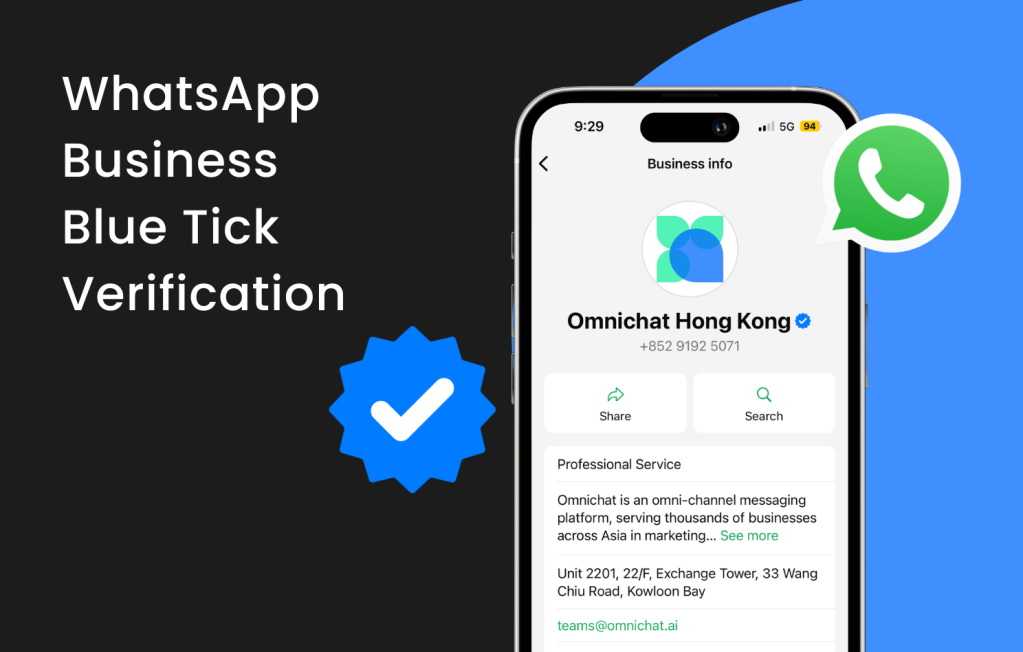
The WhatsApp blue tick is a verified badge that indicates a business account has been verified by Meta based on its activity, business information, or supporting documentation.
Only top tier, officially verified business accounts on WhatsApp Business are eligible for WhatsApp blue tick verification. This blue tick is a verification badge that signals an authentic and verified business profile, and having a complete business profile is essential for obtaining it. Verified accounts across Meta platforms, including WhatsApp, Instagram, and Facebook, serve as a symbol of authenticity and credibility, enhancing user trust and brand recognition. The WhatsApp blue tick was previously known as the WhatsApp green tick, and the verification badge was renamed for consistency across Meta platforms.
Meta, the parent company of WhatsApp, manages the verification process for business accounts. This helps users easily distinguish legitimate business accounts from potentially fraudulent ones, thus avoiding confusion. For well-known enterprises, Blue Tick Verification allows their official accounts to stand out from regular business accounts, establishing a professional and trustworthy image for the company. Depending on your region, businesses may apply for verification either through the WhatsApp Business Platform or directly via the WhatsApp Business App under the Meta Verified subscription.
2. Why is WhatsApp Blue Tick Important for Businesses?
After understanding what WhatsApp Blue Tick Verification is, let’s explore the benefits it offers to businesses.
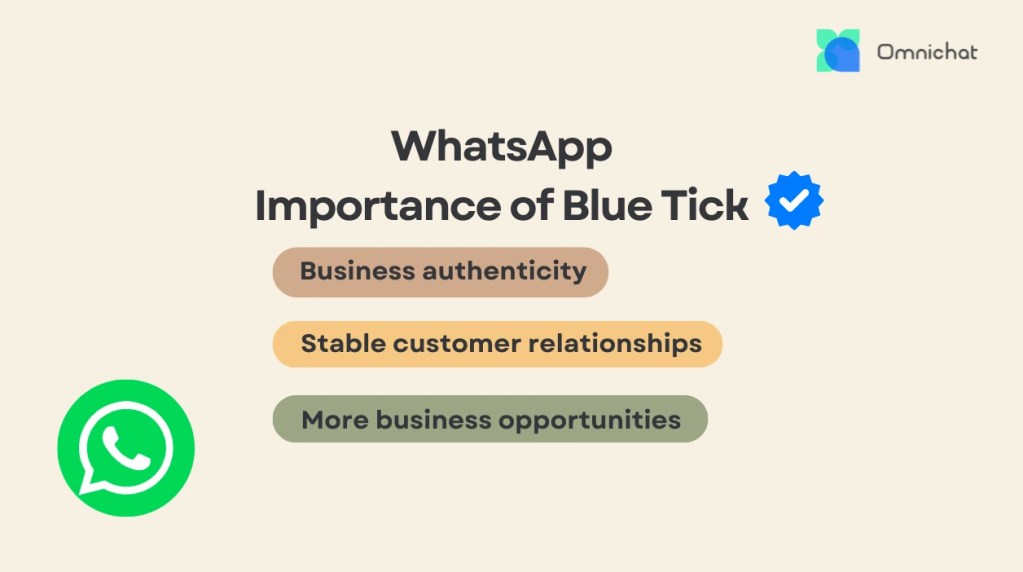
Displaying the blue tick alongside your brand name on WhatsApp not only boosts trust and recognition but also confirms your official business identity. This helps reduce customer hesitation, minimises confusion, and enhances your brand reputation. Customers are more likely to trust and respond to messages from verified business accounts, as the blue tick serves as a visible symbol of credibility and authenticity.
Additionally, having a verified status can significantly increase the open rates and engagement of your message with customers, as they are more confident that the communication is coming from a legitimate and trusted source.
Build Trust and Authenticity with Customers
By successfully completing WhatsApp’s rigorous Blue Tick Verification process, the company will be granted the distinguished blue tick, which will be prominently displayed alongside its business name when communicating with customers. This visual cue immediately conveys the legitimacy and authenticity of the company’s WhatsApp presence. Even if customers receive messages from unfamiliar sources, they can click to view the company’s name and relevant information rather than seeing an anonymous phone number, effectively enhancing the brand’s credibility and authority.
Given the prevalence of fake accounts, customers often prefer to block unverified business accounts. Verified business accounts, however, provide a sense of security for customers, since not all businesses can easily obtain official verification. This helps build trust between the business and its customers.
Strengthen Long-Term Customer Relationships
Messages sent from accounts with the blue tick are less likely to be blocked or reported, as WhatsApp has already deemed them trustworthy. Additionally, customers are more inclined to interact with official business accounts, reducing the risk of engagement with counterfeit accounts. This can significantly strengthen customer relationships over time.
Drive More Sales and Business Opportunities
The unique blue tick can quickly capture consumers’ attention, increasing brand recognition and awareness. This creates more business opportunities and significantly enhances WhatsApp marketing performance.
3. How to Apply for WhatsApp Blue Tick Verification
This guide explains how to get the WhatsApp blue tick verification badge. Follow these steps to complete your application and receive the verified badge on your WhatsApp Business account. To apply, your business typically needs access to the WhatsApp Business API, as official verification is most commonly associated with businesses using this platform. The process involves submitting your business information for review. To qualify, you need to meet the following criteria and complete the steps outlined below.
Eligibility Requirements for WhatsApp Blue Tick
● The business must have a WhatsApp Business account and use the WhatsApp Business API, such as an advanced API account set up with Omnichat’s assistance.
● Two-factor authentication (2FA) must be enabled, and the account name must match the official company name.
● The business must complete Meta Business Verification and be verified on Facebook. If the application is rejected, you can reapply multiple times.
● The account’s messaging level must reach Tier 2.
● The business must have no history of violating WhatsApp’s business policies or terms and must remain fully compliant.
● A high-quality official website with strong brand recognition and media exposure is recommended.
● Being Meta Verified can help streamline the process and may add additional credibility to your business profile.
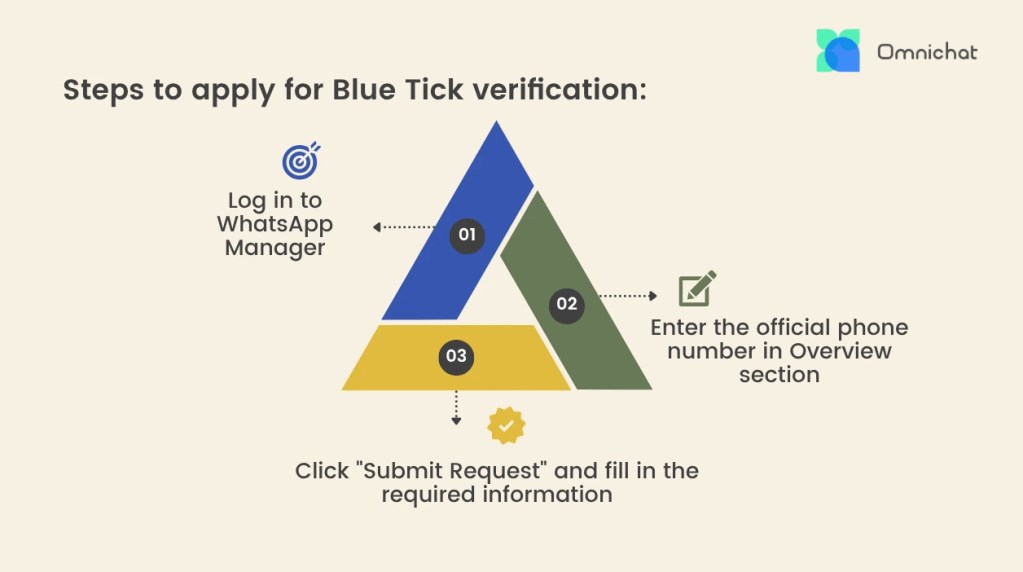
Steps to Apply for Blue Tick Verification:
1) Log in to your WhatsApp Manager through Facebook Business Manager
2) In the Overview section, enter the phone number you want to verify, as this is crucial to initiate the request verification process for your official business account.
3) After filling in all required business details, click the ‘submit request button’ to formally submit your application.
The review results are usually released within 5 to 7 days after submission. If the application is approved, the blue tick will be automatically displayed next to your business account. During the review period, you can continue using your WhatsApp account as usual.
Pro Tips to Increase Approval Success
1) Use a company email address rather than a public email such as Gmail, Hotmail, or Yahoo.
2) Avoid using paid media advertisements during the application process, as this may affect the credibility of your brand.
3) Publish 3 to 5 positive media articles or press releases to strengthen your brand image and increase recognition.
4) Enable two-step verification on your WhatsApp Business account to enhance security and protect your account during the blue tick verification process.
What to Do If Your Blue Tick Application Is Rejected?
If you receive a rejection for your application, it means your business account does not meet the required standards. You can reapply after 30 days, and there is no limit to the number of times you can submit your application for blue tick verification. Before reapplying, you should understand the reasons for the rejection, such as incorrect company information, and resolve the issues before submitting another application. Meanwhile, work on increasing your social media exposure, including organic likes, and optimise your website experience to expand brand influence.
4. Success Story: How Vita Green Earned the WhatsApp Blue Tick with Omnichat
Vita Green, a leading enterprise in the pharmaceutical and health supplement industry with over 8,000 sales points globally across Asia, Europe, and the US, successfully obtained WhatsApp’s official Blue Tick Verification for all its business accounts through collaboration with Omnichat. This partnership helped establish greater authority and credibility for the brand among customers. Obtaining the WhatsApp blue tick badge also contributed to Vita Green’s business growth by increasing customer trust, engagement, and brand influence.
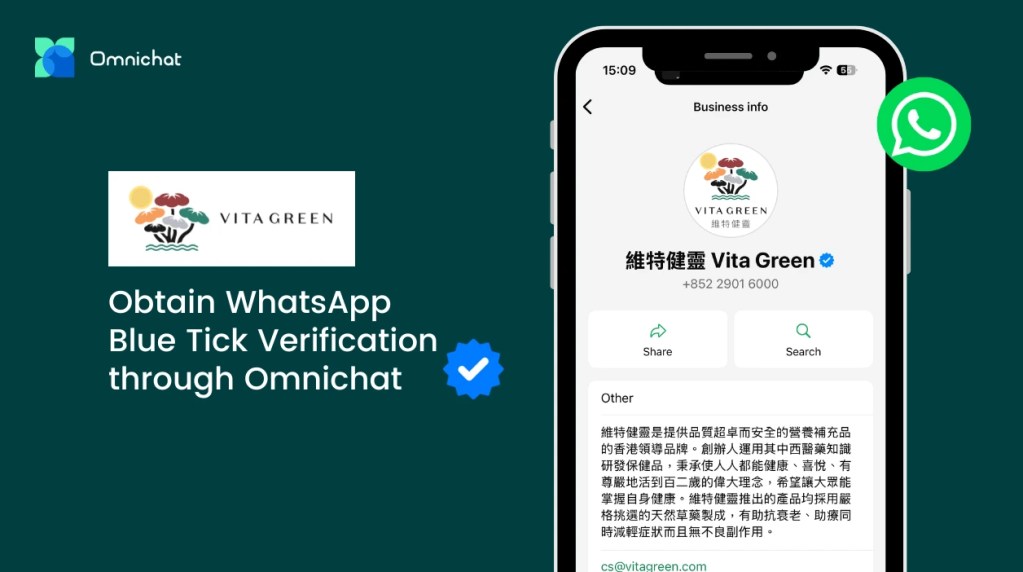
As part of Vita Green’s brand expansion strategy, the company implemented Omnichat’s WhatsApp Business API solutions to connect its online and offline marketing channels. This integration improved customer communication and enhanced the overall customer experience, while helping the brand reach more potential customers. As a result, Vita Green achieved a 50 percent click through rate and 60 percent automation in its customer engagement workflows.
As an official WhatsApp Business Solution Provider, Omnichat helps brands set up and scale WhatsApp Business API use cases, from business profile setup and automation to customer engagement workflows. Beyond verification readiness, Omnichat supports brands with chatbot automation, broadcast messaging, CRM integration, product catalog and payment flows, and omnichannel customer conversations across WhatsApp, Instagram, Facebook Messenger, LINE, WeChat, and website live chat.
By using the official WhatsApp Business Solution Provider, Omnichat, businesses can leverage the following features to develop and implement their WhatsApp marketing strategy:
- Unified management of multi-channel conversations in one place
- 24/7 automated chatbot to enhance team productivity and efficiency
- Multi-channel coupons that can be used both online and offline
- WhatsApp product catalog and payment integration for a seamless customer journey
- Social CRM for customer segmentation and precise remarketing
- Integration of online and offline sales, offering one-on-one sales and tracking cross-channel sales performance
Book a Consultation