Social media marketing is thriving in Hong Kong, making Instagram Ads an essential channel for brands to promote products, drive web traffic, and boost offline store visits. According to Datareportal’s Digital 2026: Hong Kong report, Instagram reached over 4.05 million users in Hong Kong by late 2025, representing an ad reach equivalent to 54.8% of the total population. However, many businesses still limit their strategy to simply clicking “Boost Post.” To maximise your ad spend, this guide covers Instagram ad mechanisms, placements, formats, prep work, pricing, performance metrics, step-by-step setup, and optimisation tips—plus how to automate lead follow-ups with Omnichat for higher ROAS!
Key Takeaways
・Placements & Formats: Leverage Feed, Stories, Explore Home, and Reels across Image, Video, Carousel, and Collection ad formats.
・Ad Channels: Choose between quick boosts via the Instagram App or advanced campaigns in Meta Ads Manager.
・Pricing & Metrics: Track CPM, CPC, and CPA while measuring performance through Reach, Impressions, CTR, CVR, CPL, and ROAS.
・Conversational Automation: Integrate Omnichat via Instagram API for 24/7 chatbot replies, comment-to-DM triggers, and automated customer tagging for precision retargeting.
What Are Instagram Ads?
Instagram Ads are paid promotional content served across the Instagram platform via Meta Ads Manager. Unlike traditional media or other social networks, Instagram Ads focus heavily on younger generations, emphasising high-quality visual impact and short-form storytelling to spark curiosity and build brand affinity.
Instagram Ads allow you to precisely target audiences based on location, age, gender, interests, and behaviors, broadcasting your brand message to potential customers who haven’t discovered you yet. Ad posts feature a “Sponsored” label and a Call-to-Action (CTA) button that leads users directly to your website, store, or a direct message (DM) conversation.
Instagram Ad Formats
1. Image Ads
Showcase products, services, or brand identity using a single photo and custom copy. Simple yet highly effective.
- Creative Recommendation: A 4:5 vertical aspect ratio (JPG or PNG) is recommended to maximise screen real estate on mobile devices.
- Best Practices: Keep visual elements clean and focused. Add a Call-to-Action (CTA) button below the image to direct users to your site or landing page, driving traffic and conversions.
2. Video Ads
Engage users instantly with dynamic visuals and audio—ideal for sharing brand stories or highlighting unique product features.
- Creative Recommendation: A 4:5 aspect ratio supporting MP4, MOV, or GIF formats.
- Video Length: While videos can run up to 60 minutes, the ideal length is 5 to 15 seconds (and under 30 seconds for longer content) to align with user attention spans and maximise engagement.
3. Carousel Ads
Display up to 10 images or videos (with limits expanding to 15) in a single ad, allowing users to swipe through cards.
- Creative Recommendation: 1:1 square aspect ratio for images (JPG/PNG) or videos (MP4/MOV/GIF).
- Best Practices: Each card can feature its own link and CTA button. This format offers generous creative space to showcase product lines, highlight specific features, or tell a step-by-step brand story.
4. Collection Ads
Combine video and product catalog features, designed specifically for e-commerce sales and conversions.
- Format: Appears in the Feed as a main cover image or video paired with 3 product images underneath.
- Core Function: Tapping the ad opens an instant full-screen experience where users can discover, browse, and purchase products directly within the ad, driving purchase intent and conversion rates.

Where Can Instagram Ads Be Placed?
Understanding user browsing habits and specs across placements helps you choose the best location for your goals. Meta supports 4 primary Instagram ad placements:
1. Instagram Feed
The Feed is the constantly updating list of content users see when opening the app, blending organic posts with sponsor content seamlessly without disrupting the user experience.
- Recommended Specs: 1:1 square or 4:5 vertical images/videos.
- Best Used For: High reach and engagement; pair with clear CTAs to encourage product exploration.
2. Instagram Stories
Full-screen vertical ads inserted between organic Stories. Though called “Stories,” ads are not restricted by the 24-hour expiration rule, delivering an immersive experience.
- Recommended Specs: 9:16 full-screen vertical images or videos.
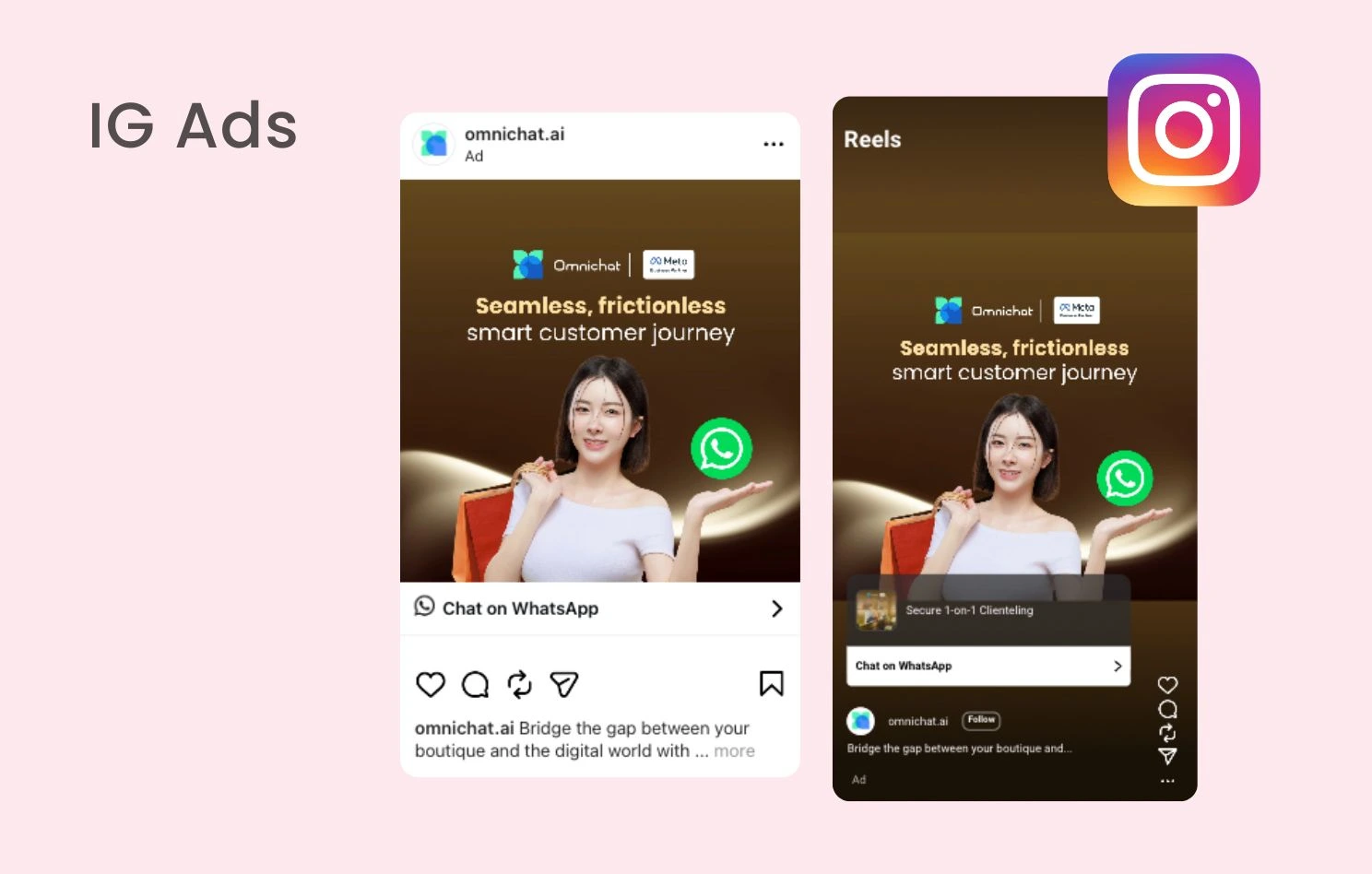
- Best Used For: Presenting vibrant brand stories, flash promotions, or driving swipe-up traffic to external links such as tapping “Chat on WhatsApp” to jump directly into a WhatsApp inquiry.
3. Instagram Explore Home
Explore is where users go to actively discover content, products, and topics they care about. Explore Ads appear in the main search/discovery grid.
- Recommended Specs: 1:1 square for Explore Home; 1:1 or 4:5 vertical for the scrolling Explore feed.
- Best Used For: Reaching discovery-minded audiences searching for new ideas, helping expand brand awareness.
4. Instagram Reels
Reels is a dedicated short-video entertainment feed. Reels Ads play vertically between organic Reels and do not require users to follow your account to be seen. Users can like, comment, save, share, or skip them just like regular Reels.
- Recommended Specs: 9:16 full-screen vertical video (supports up to 15 minutes/900 seconds, though short-form video is recommended).
- Best Used For: Engaging high-intent, younger audiences who enjoy interest-based entertainment.

Preparing for Your Instagram Ad Campaign
Define Campaign Objectives & Target Audiences
Before launching, ask: “What is the primary goal of this campaign?” Your objective dictates how Meta’s algorithm bids and optimises:
- Awareness-Focused: Focuses on Reach and Impressions; usually incurs lower bidding costs.
- Conversion/Sales-Focused: Driving transactions or lead forms is harder, making competition steeper. For the same budget, engagement campaigns typically reach significantly more users than sales campaigns.
Utilise Meta’s targeting tools to organise your audiences into Core Audiences (location, age, gender, interests), Custom Audiences (retargeting past site visitors or account engagers), and Lookalike Audiences.
Craft Your Ad Creatives
- Match Tone to Younger Audiences: Tailor visuals and copywriting to resonate with 18–34-year-olds.
- The 3-Second Rule: Grab attention in the first 3 seconds with striking visuals, contrasting colors, or immediate pain points. Avoid long, animated logo intros.
- Optimise for Mobile: Single-image ads only show the first 2 lines of text on mobile screens before clipping—make those lines count! Always add captions to videos for sound-off viewing.
- Clear Call-to-Action (CTA): Select explicit buttons (“Shop Now,” “Send Message,” “Learn More”) aligned with your goals.
How to Set Up Instagram Ads
Method 1: Instagram App “Boost Post”
- Open Instagram, select the post you want to promote, and tap Boost Post.
- Choose your goal (e.g., More Website Visits, More Profile Visits, or More Messages).
- Define your target audience (Automatic or custom age, location, and interests).
- Set your daily budget and duration.
- Connect your Facebook Page, review payment details, and submit for review.
Method 2: Meta Ads Manager
- Link Accounts: Log in to Meta Ads Manager and link your Instagram Business account to your Facebook Page.
- Create Campaign: Select a campaign objective (e.g., Awareness, Traffic, Leads, Sales).
- Set Up Ad Set: Define your target audience, set budget and schedules, and choose manual placements or Advantage+ placements.
- Design Creatives: Upload 1:1, 4:5, or 9:16 assets, write ad copy, and set your CTA button.
- Publish & Monitor: Tap Publish. Once approved (usually within 24 hours), monitor campaign performance metrics in the dashboard.
How Much Do Instagram Ads Cost?
Instagram uses a real-time auction system without fixed prices; costs fluctuate based on competition, seasonality, and target audience.
Factors Influencing Ad Costs
- Campaign Objectives: Bidding for direct Sales/Purchases costs more than bidding for simple Post Engagement.
- Peak Seasons & Industry: Costs surge during major shopping holidays (e.g., Black Friday, Christmas, Lunar New Year) or in competitive niches (beauty, fashion, e-commerce).
- Ad Quality & Relevance: Meta evaluates how well your ad matches audience interests. High-quality, engaging ads earn higher priority and lower costs.
Common Pricing Models
- CPM (Cost Per 1,000 Impressions): Charged every 1,000 times your ad is displayed. Ideal for brand awareness.
- CPC (Cost Per Click): Charged only when a user clicks your ad link. Ideal for website traffic.
- CPV (Cost Per View): Charged when a user watches at least 10 seconds of a video ad.
- CPI (Cost Per Install): Charged per mobile app installation via the ad.
- CPA (Cost Per Action): Charged when users complete specific actions (purchases, form fills, starting a message).
Measuring Instagram Ad Performance
Key Instagram Ad Metrics Explained
- Reach: The total number of unique individuals who saw your ad. For example, a Reach of 1,000 means your ad was shown to 1,000 distinct people.
- Impressions: The total number of times your ad appeared on a screen. Because a single person can see your ad multiple times, your Impression count is usually higher than your Reach.
- Clicks: The actual number of times users clicked on your ad link or button. A higher click count indicates that your visual or video creative is captivating enough to spark interest.
- CTR (Click-Through Rate): The number of clicks received per 100 impressions, calculated by dividing total clicks by total impressions and multiplying by 100%. This percentage is commonly used to evaluate and compare creative assets—the higher the CTR, the more compelling the asset.
- CVR (Conversion Rate): The percentage of ad clickers who completed your desired goal, such as placing an order, filling out a form, or sending a DM. Calculated by dividing total conversions by total clicks and multiplying by 100%, a higher CVR shows that your product or landing page is persuasive.
- CPL (Cost Per Lead): If your goal is lead generation (e.g., booking a consultation or requesting a sample), this measures the average cost to acquire a single lead’s contact details. Calculated by dividing total ad spend by the number of leads generated, a lower CPL means higher efficiency.
- ROAS (Return on Ad Spend): The ultimate metric for online store owners, representing how much revenue is generated for every $1 spent on ads. Calculated by dividing ad-generated revenue by ad spend, a ROAS of 5 means that every $1 spent brings in $5 in gross revenue!
Tips to Improve Ad Performance
- Run A/B Tests: Test different audience segments, copy lengths, visual styles, and video formats to eliminate underperforming assets.
- Refresh Creatives Regularly: Running the same ad to the same audience leads to “creative fatigue” and dropping CTRs. Rotate or refresh visuals regularly.
- Retarget High-Intent Users: Target users who previously visited your website, engaged with your IG page, or sent DMs to achieve higher conversion rates at lower costs.
Automating Lead Follow-Ups After Running IG Ads
Getting ad clicks is only step one—responding instantly determines whether leads convert into sales. For teams with limited bandwidth, monitoring IG DMs 24/7 is nearly impossible. Connecting an official Instagram API automation platform like Omnichat turns Instagram into an automated sales machine!

Build Automated Conversational Sales with Omnichat
- 24/7 Chatbots for Instant DM Replies: Build no-code chatbots to automatically welcome users, answer FAQs, and send product links the moment they tap an ad to open a DM.
- Interactive Triggers (Comments & Story Tags): Automatically send DMs when users comment specific keywords on ad posts or tag your brand in Stories, turning public interactions into private sales conversations.
- Auto-Tagging & Segmented Retargeting: Automatically record customer preferences and assign tags during chat flows. Use this data later to send targeted marketing messages for maximum ROI.
Case Study
CreFIT identified a high drop-off rate when transitioning users from external advertisements to the app environment. Therefore, they implemented a comprehensive WhatsApp messaging strategy powered by Omnichat. Users could click an Instagram ad and complete the entire application form within the chat interface, significantly reducing friction.

Book a Consultation