As competition intensifies, relying solely on a traditional website is no longer enough. For retailers in Hong Kong, where Facebook and Instagram dominate daily life, selling directly on social media is essential to boosting exposure and revenue. This comprehensive guide breaks down everything you need to know about Facebook Shop—from setup and product restrictions to core marketing secrets. You will also discover how to leverage Omnichat to centralise your communication channels, maximise your brand visibility, and turn social media comments into sales automatically.
Key Takeaways: Facebook Shop
・FB Shop vs Marketplace: Facebook Shop is a social online store designed exclusively for brands with an official Page, completely different from personal trading platforms.
・FB Shop Features: Maximise product tagging and themed collections, combining Meta’s free organic reach to drastically shorten the consumer buying decision process.
・Marketing & Compliance Rules: Master the 4 core management secrets, including regular updates and multi-channel traffic generation, while strictly following Meta’s commercial policies to avoid store bans from prohibited items.
・Integration with Omnichat: Trigger massive interaction waves using Omnichat’s Facebook Comment Auto-Reply, and manage WhatsApp, Facebook, Instagram, and website Chatbots centrally to capture sales from all angles.
What is a Facebook Shop? How is it Different from Marketplace?
Many store owners who are new to social commerce often confuse Facebook Shop with Facebook Marketplace. In fact, their positioning and functions are fundamentally different:
Facebook Shop
An e-commerce solution designed specifically for businesses and brands (that own a FB Page). It acts as a micro “social online store,” allowing brands to display full product catalogs, create categories, set prices, and direct consumers to their official website or complete payments via direct messages (DMs), maintaining a professional brand image.

Facebook Marketplace
Positioned like an “online supermarket” or a secondhand trading platform, it is primarily for individual users to buy and sell secondhand items or conduct one-off transactions. Transactions are mostly done via face-to-face meetups, Faster Payment System (FPS), or private agreements, and it lacks a product management system.
Features and Advantages of Facebook Shop
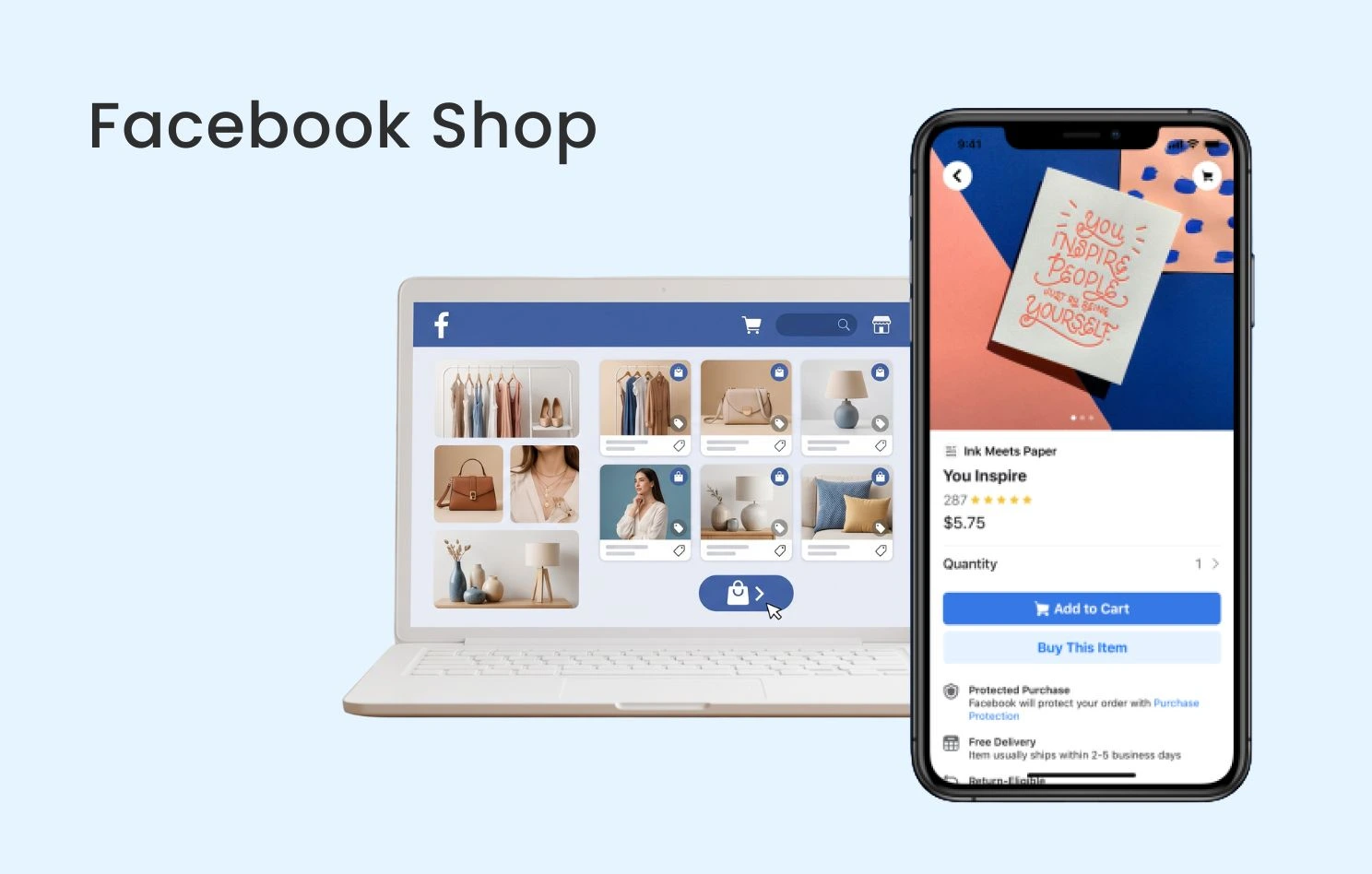
- Seamless Social Shopping Experience: You only need to create one product catalog to display it simultaneously across your Facebook Page and Stories, allowing potential customers to browse products directly while scrolling through social media.
- Flexible Payment Flows: Although in-app credit card payments are not yet available in Hong Kong, Facebook Shop supports “Link to Website” or “Message to Buy” via Messenger. This offers great flexibility for merchants with independent websites (such as Shopify, SHOPLINE, etc.).
- Product Tagging Feature: This is the ultimate weapon for boosting sales on Facebook. Whether publishing regular posts or hosting live streams, you can “tag products” directly on the screen. When consumers see an item they love, they can tap the tag to immediately check the price and purchase, drastically shortening the consumer decision-making process.
- Completely Free Organic Reach: Setting up a Facebook Shop is completely free, and Meta’s algorithm gives extra exposure optimisation to posts with product tags, making it a crucial channel for merchants to capture free organic traffic.
Facebook Shop Setup Steps
Pre-requisites
- An active Facebook Business Manager account.
- A Facebook Page where your account holds admin permissions.
Setting up Facebook Shop
- Access Commerce Manager: Log into Meta Business Suite/Business Manager, navigate to “Commerce Manager,” and select “Create a Shop.”
- Choose Payment Method: Hong Kong merchants typically choose “Checkout on another website” (driving traffic to your official site) or “Checkout with messaging” (directing users to Messenger for payment).
- Select Sales Channels & Bind Catalog: Choose the Facebook Page where you want to open the shop, then create a brand-new product catalog or link your existing e-commerce platform catalog (e.g., auto-syncing website products via Meta Pixel).
- Submit for Review: After checking all details, check the box to agree to the Merchant Agreement and click “Submit for Review.” Meta usually completes the review within a few business days, after which your Facebook Shop will officially go live.

What are the Product Restrictions for Selling on FB?
To protect user experience and comply with local laws, Meta enforces strict Commercial Policies on products listed in Facebook Shops. Violations can lead to your shop being banned. The following categories are strictly prohibited or heavily regulated:
- Contraband & Illegal Goods: Drugs, prescription medications, tobacco (including e-cigarettes), weapons, ammunition, and adult products.
- Medical & Healthcare Products: Any products claiming “medical efficacy,” medical devices, and certain controversial weight loss/fat reduction supplements.
- Virtual & Digital Services: Virtual currencies, gaming accounts, financial services, insurance services, etc. (FB Shop primarily targets physical goods).
- Infringing & Counterfeit Products: Unauthorised counterfeit luxury goods, pirated software, or unauthorised anime merchandise.
Facebook Shop Marketing Secrets
Successfully running a Facebook Shop is more than just uploading products; it requires strategic social marketing. Master these 4 operational secrets to ensure the continuous growth of your shop:
Utilise Collections to Plan Themes
Avoid piling all your products together untidily. You should align with Hong Kong shopping festivals, seasons, or specific pain points (e.g., “Summer Essentials,” “SOGO Thankful Week Mega Deals,” “Limited-Time Clearance Sale”) to package products into different “Collections” at the top of your shop, catching customers’ eyes the moment they enter.
Update Products Regularly
Keep your store active and fresh. When customers see new arrivals or time-limited deals every time they browse your Facebook Shop, their desire to buy increases significantly. Additionally, remember to take down hot-selling items promptly once they are sold out to avoid out-of-stock frustrations that hurt the shopping experience.
Engage with Followers
Social media is built on trust. When customers leave comments under Facebook Shop products or send direct messages, merchants should respond as quickly as possible and offer professional buying advice. Prompt and positive interaction not only improves customer satisfaction but also makes them feel valued, driving up purchase intent. Merchants can also run Q&A sessions or exclusive Page-follower discounts to boost engagement.
Drive Multi-Channel Traffic
Relying solely on the organic reach of your Facebook Shop might not be competitive enough. You should combine multi-channel strategies to expand exposure, such as running precision Meta Ads to reach potential clients, or frequently using the “Product Tagging feature” in daily posts and live streams, funneling traffic from different sources into your Facebook Shop.
How Omnichat Enhances Your Facebook Shop Marketing
When your Facebook Shop begins attracting massive traffic, a mountain of customer comments and private messages follows. Relying solely on manual replies is inefficient and leads to missed orders. Introducing the Omnichat omni-channel chat commerce system can fully upgrade your FB Shop marketing:
Automated Comment Replies — “Comment +1” Boosts Exposure
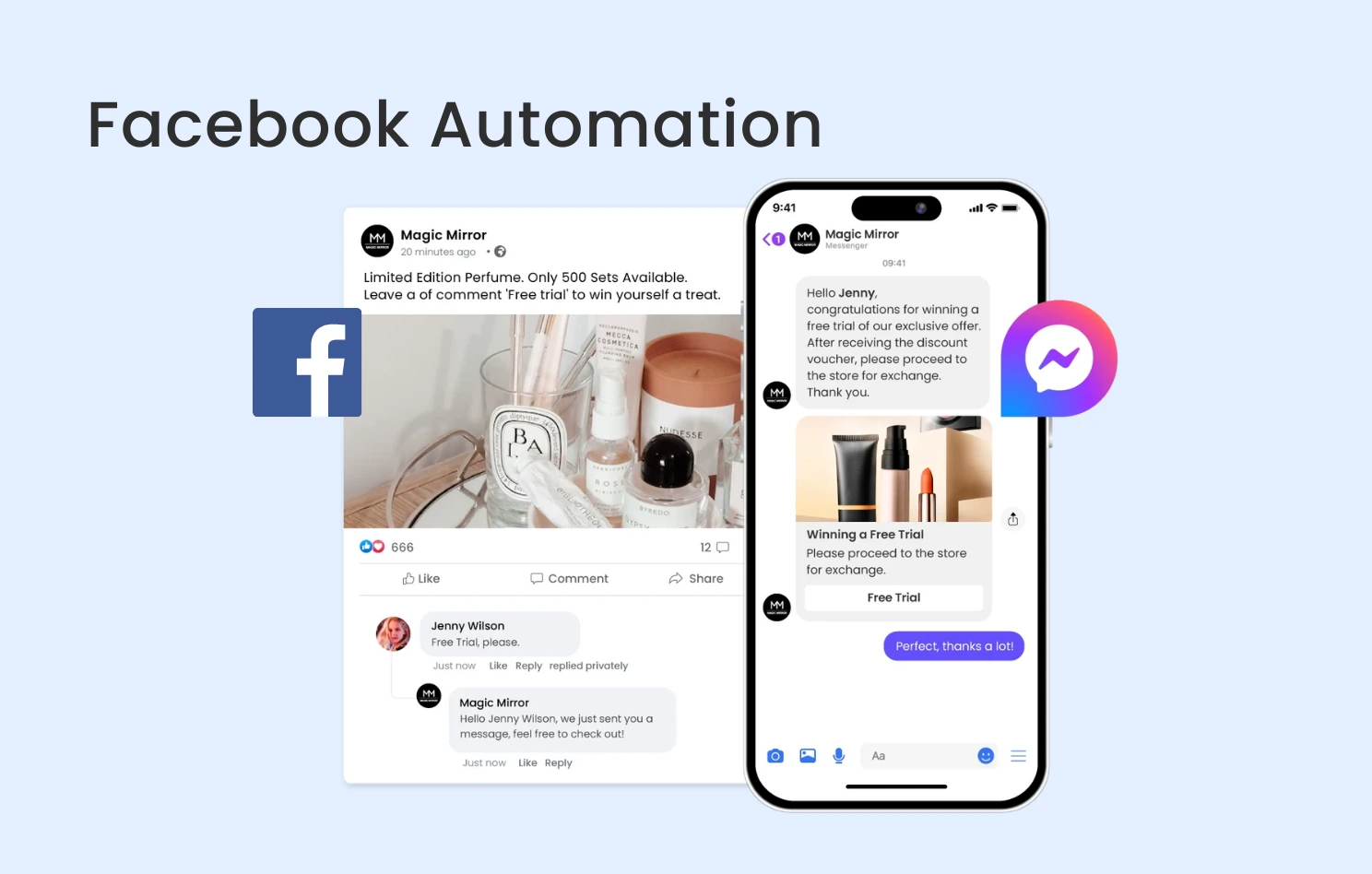
In Facebook Shop marketing, running “comment to get coupons” or “comment to get the buying link” campaigns is the easiest way to trigger engagement waves. Through Omnichat’s Facebook Comment Auto-Reply feature, when a customer comments (e.g., “how much?”, “+1”) under your post, the system automatically replies publicly within 1 second while simultaneously sending a private DM. This delivers the Facebook Shop product link or exclusive discount code straight to the customer, achieving a fully automated sales pipeline.

One-Stop Sales Channel Integration
When customers are directed from your Facebook Shop to private messages for inquiries, a merchant’s chat channels are often scattered. Omnichat’s strength lies in its one-stop integration, combining WhatsApp, Website Chatbots, Facebook Messenger, and Instagram into a single backend. Whether a customer sees an item in your Facebook Shop and wants to jump to your website Chatbot, or connect directly to WhatsApp to order, Omnichat manages it centrally. Customer service and sales teams no longer need to switch between multiple apps; they can view the customer’s browsing history across different platforms within one interface.
Conclusion
Facebook Shop opens up a social shortcut directly to consumers for Hong Kong retailers, and combining it with Omnichat’s automated conversational commerce perfectly solves the pain points of social media traffic generation and high volume message inquiries. Start building your Facebook Shop today and use digital automation technology to bring explosive growth to your business!
Book a Consultation