
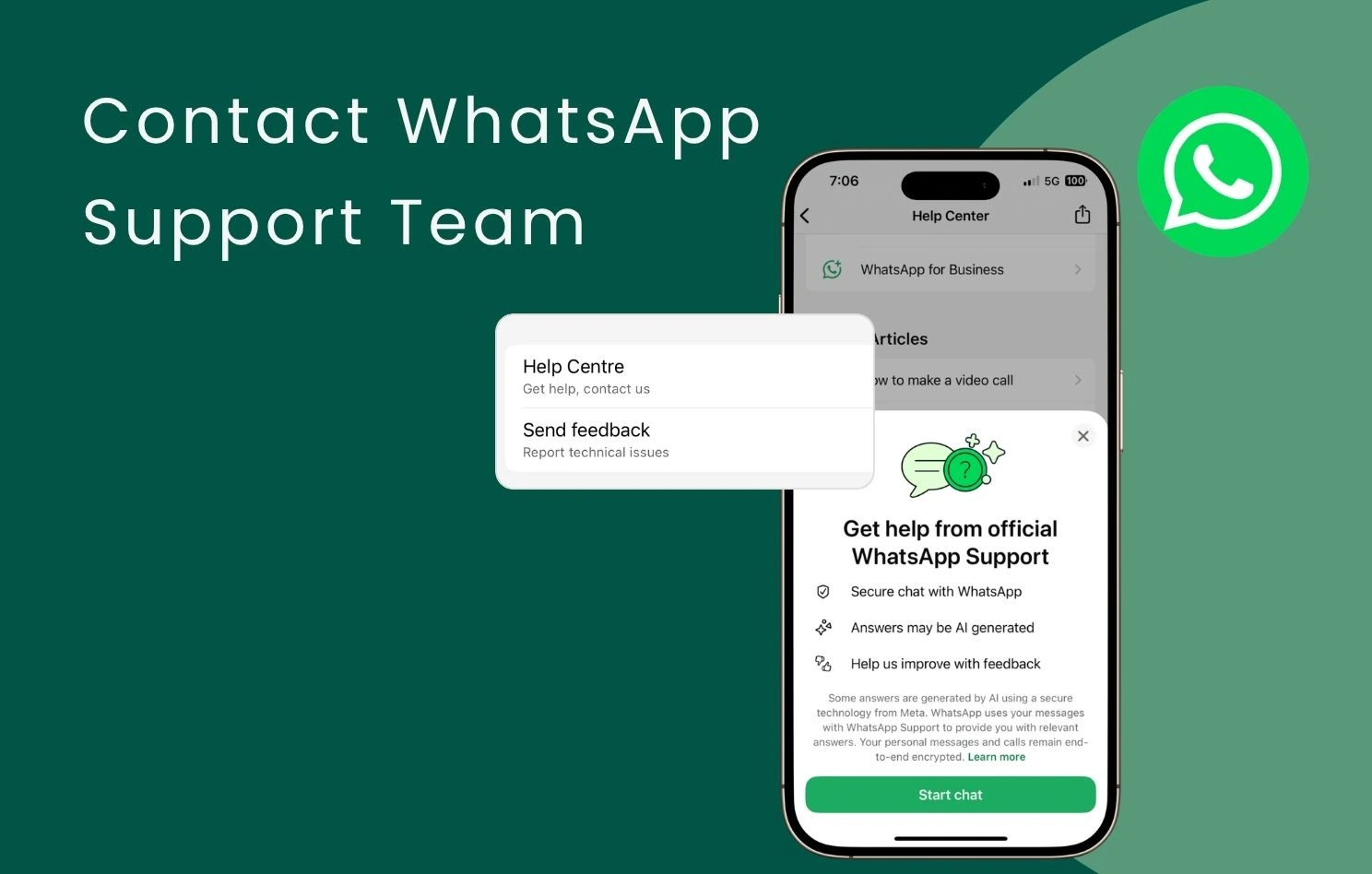
In Hong Kong, WhatsApp has become an indispensable communication tool, whether for staying in touch with friends and family or handling business-to-customer communications, sales, and after-sales support. However, when an account faces bans, technical glitches, or payment issues, many users and businesses rush to find official help. Is there an official customer service phone number you can inquire with? This article will answer that and guide you on the proper ways to contact the WhatsApp support team.
Key Takeaways
・No Public Hotline: Official WhatsApp does not offer any public WhatsApp Hong Kong customer service phone number or customer service hotline, and Meta’s WhatsApp Hong Kong office does not provide day-to-day public technical support.
・Official Channels: To contact WhatsApp customer service, merchants must submit a request via “Contact Us” in the app or use the contact forms on the official website to connect with the WhatsApp support team.
・Free Support Limitations: Official support relies on a ticketing queue; response times are unpredictable and heavily automated with standard templates, making it hard to support urgent business needs during peak seasons.
・Omnichat Support Advantage: Upgrading to the WhatsApp Business API via Omnichat gives businesses local Cantonese technical support, expedited account appeals, and access to commercial features like multi-user logins, 24/7 Chatbots, and automated marketing tools.
Does WhatsApp Have a Customer Service Hotline or a Hong Kong Office?
When hitting an urgent technical roadblock, many people’s first reaction is to search online for a WhatsApp Hong Kong customer service phone number or a WhatsApp customer service hotline, hoping for immediate answers from a live voice agent.
However, WhatsApp currently does not provide any public telephone customer service hotlines. In other words, all WhatsApp Hong Kong customer service phone numbers claimed online are basically fraudulent. Merchants should remain highly vigilant and cautious of falling into phishing scams. Furthermore, while Meta has an office in Hong Kong, this WhatsApp Hong Kong office primarily handles advertising and enterprise partnerships. It is not open to the general public, nor does it provide daily technical support or customer service for merchants.
How to Contact the WhatsApp Support Team?
Since there is no telephone hotline or physical office, how should you seek help when an issue arises? You can contact WhatsApp customer service through these two officially recognised channels:
Get WhatsApp Support via In-App Chat
Whether you are using the personal version or the business version (WhatsApp Business App), you can get in touch with the WhatsApp support team directly through your mobile application:
- Open WhatsApp on your phone and go to “Settings”.
- Tap “Help Center”, then select “Contact Us”.
- You will be redirected to the official WhatsApp support team (which features a verified badge and an official support account label).
- The AI will reply to your questions via text message.

Get WhatsApp Support via Website Contact Form
If you cannot log into the application, you can submit a request through the contact form on the official WhatsApp website:
- Go to the “Contact WhatsApp“ page on the WhatsApp website.
- Click “Contact Us” under “WhatsApp Support”.
- Describe your issue in detail.
- Click “Next Step” and submit. Once sent, official customer support will follow up with you via an email address ending in @support.whatsapp.com.
Why You Shouldn’t Rely Solely on the Official WhatsApp Support Team
Although the official channels are available, relying solely on the free official support team presents several hidden risks for high-growth, efficiency-driven businesses:
Unpredictable Response Times
Due to its massive global user base, official customer service handles requests through a queue system. For e-commerce stores in a critical sales season or highly dependent on WhatsApp for orders, a downtime of just a few hours means thousands of dollars in lost revenue.
Formatted Responses, Mostly Template Messages
Initial official responses are usually automated and consist mostly of canned replies, standard templates, or FAQ links. If a merchant faces issues like customer data failing to sync, broadcast messages failing to send, or an account being suddenly banned, formatted replies cannot resolve the issue immediately, often requiring multiple rounds of emails just to reach senior technical staff.
No Direct Communication Pathway & Difficult Account Appeals
When a business account is abruptly banned by Meta without warning, the review process through the official web channel is like a “black box.” Official responses are typically vague, stating only that the merchant violated “Commerce Policies,” leaving the merchant guessing the exact trigger (e.g., which message or template was flagged). Once an appeal is rejected a couple of times, the official system closes the appeal portal for that account. Without a direct communication bridge to local staff, businesses easily find themselves helpless, risking the permanent loss of their hard-earned customer lists.
How to Get Rapid WhatsApp Support Through Omnichat?
Want to entirely avoid the frustration of getting stuck with automated replies and helpless technical issues? The best practice for enterprises is to upgrade to the WhatsApp Business API via a Meta Business Solution Provider (BSP) like Omnichat.
Through Omnichat, merchants gain comprehensive, enterprise-grade support:
- Secure and Compliant Meta Official Guardrails: As an official partner, Omnichat helps businesses deploy channels that are completely secure and compliant with official policies. We assist brands in applying for the WhatsApp Business API and securing the official Green/Blue Tick verification, minimising the risk of accounts getting banned due to improper operations. Omnichat has successfully helped hundreds of companies obtain their verified badges, preventing fake accounts and winning customer trust.
- Dedicated Local Technical Support Team: When system anomalies, API billing discrepancies, or unexpected account suspensions happen, you no longer have to deal with cold web forms. Omnichat provides real-time, local technical support in Cantonese for merchants, and can even advocate and submit appeals directly to Meta on behalf of your brand, heavily minimising downtime.
- Unlock Powerful Conversational Marketing Features: Beyond technical peace of mind, Omnichat helps enterprises unlock sales potential. The WhatsApp Business API supports multi-user logins, aggregates WhatsApp, Facebook, and Instagram messages into a unified backend, and offers advanced features like 24/7 Chatbot auto-replies, precision broadcasting, and abandoned cart reminders.
Conclusion
Instead of desperately searching for a non-existent WhatsApp customer service hotline when disaster strikes, it is wiser to equip your business with a reliable support method from day one. Backed by Omnichat’s professional technology and support, your WhatsApp marketing stays uninterrupted, capturing every conversational sales opportunity with peace of mind!
Book a Consultation