In an era when customers expect instant communication and personalised interactions, WhatsApp Business has emerged as a game-changer for Chat Commerce. With over 2 billion users worldwide, WhatsApp is not just a messaging app—it’s a powerful platform for businesses to connect with customers, drive sales, and enhance customer service.
Leveraging WhatsApp Business for Chat Commerce can streamline customer interactions and create a seamless shopping experience in the retail, e-commerce, automotive, real estate, and hospitality industries.
Key Benefits of WhatsApp Business for Chat Commerce
1. Real-Time Customer Support & Sales
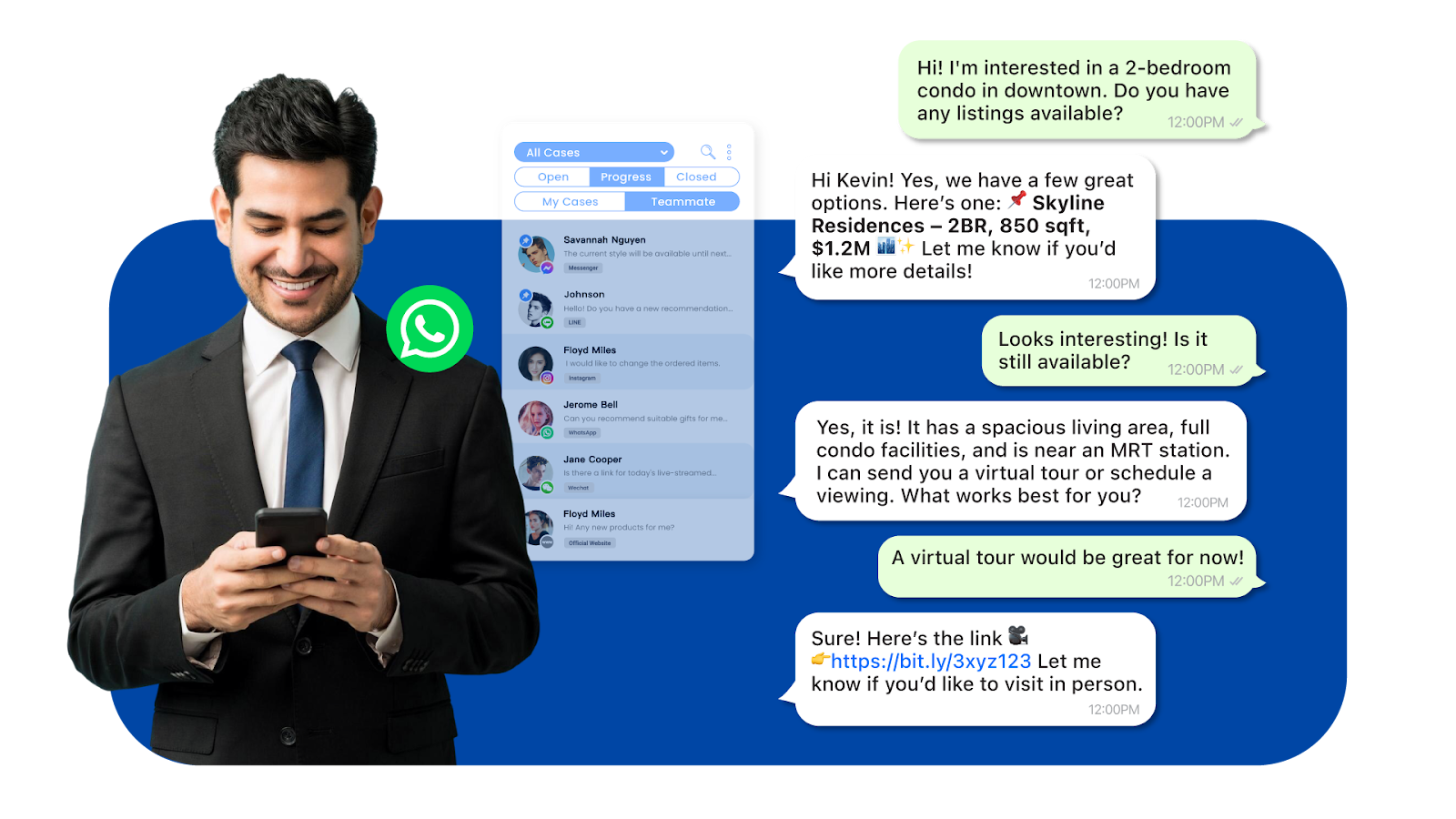
WhatsApp allows businesses to respond instantly to inquiries, offering a real-time shopping assistant experience. Customers can ask about product details, check availability, and receive recommendations like in a physical store.
Example: A real estate agency can use WhatsApp to share property listings, answer buyer inquiries, and schedule viewings, creating a faster and more engaging buying process.
How Omnichat Helps: Omnichat’s customer service support solution allows businesses to manage WhatsApp conversations efficiently and ensure every lead is nurtured in real-time.
2. Personalized Marketing & Promotions
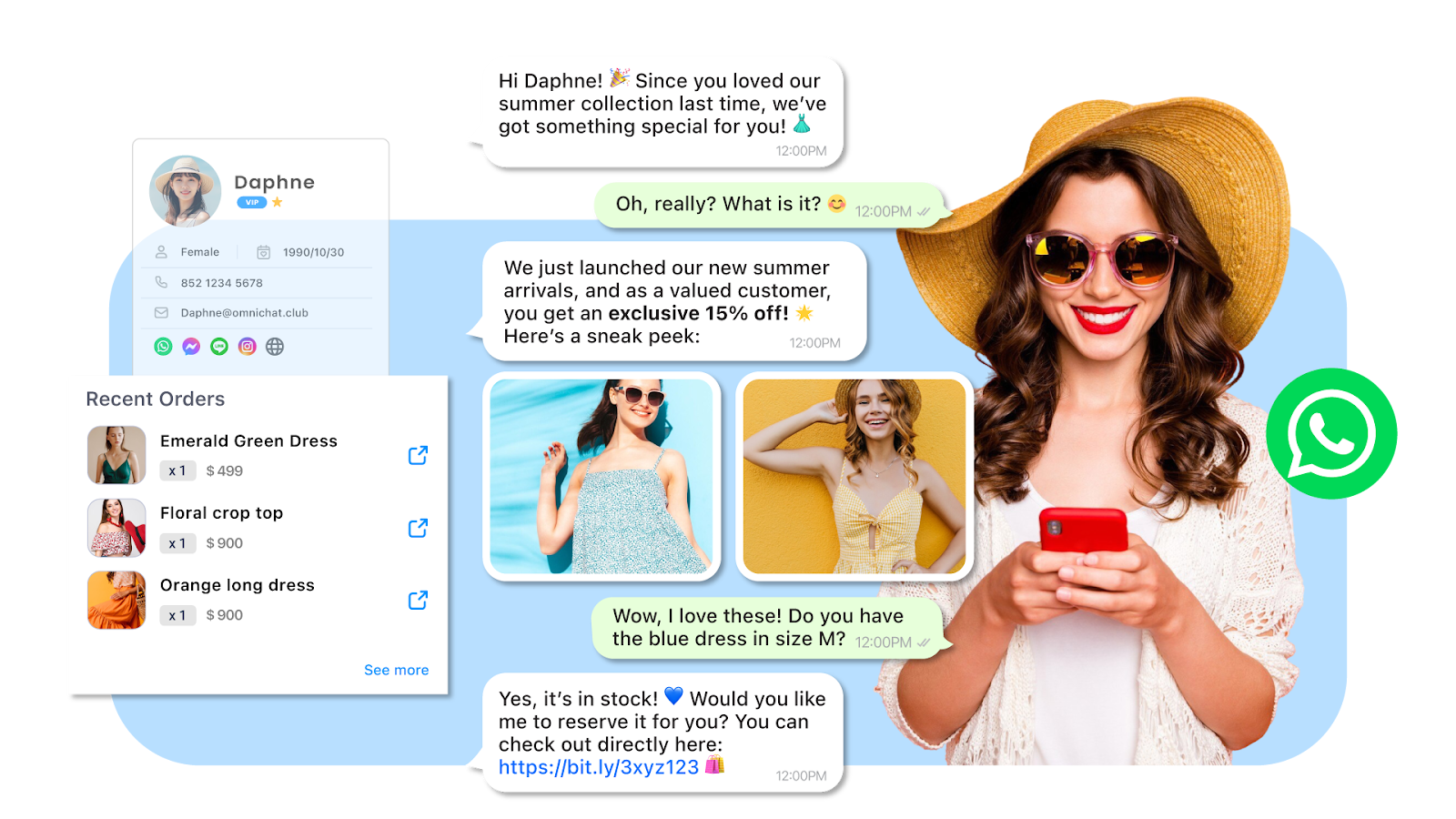
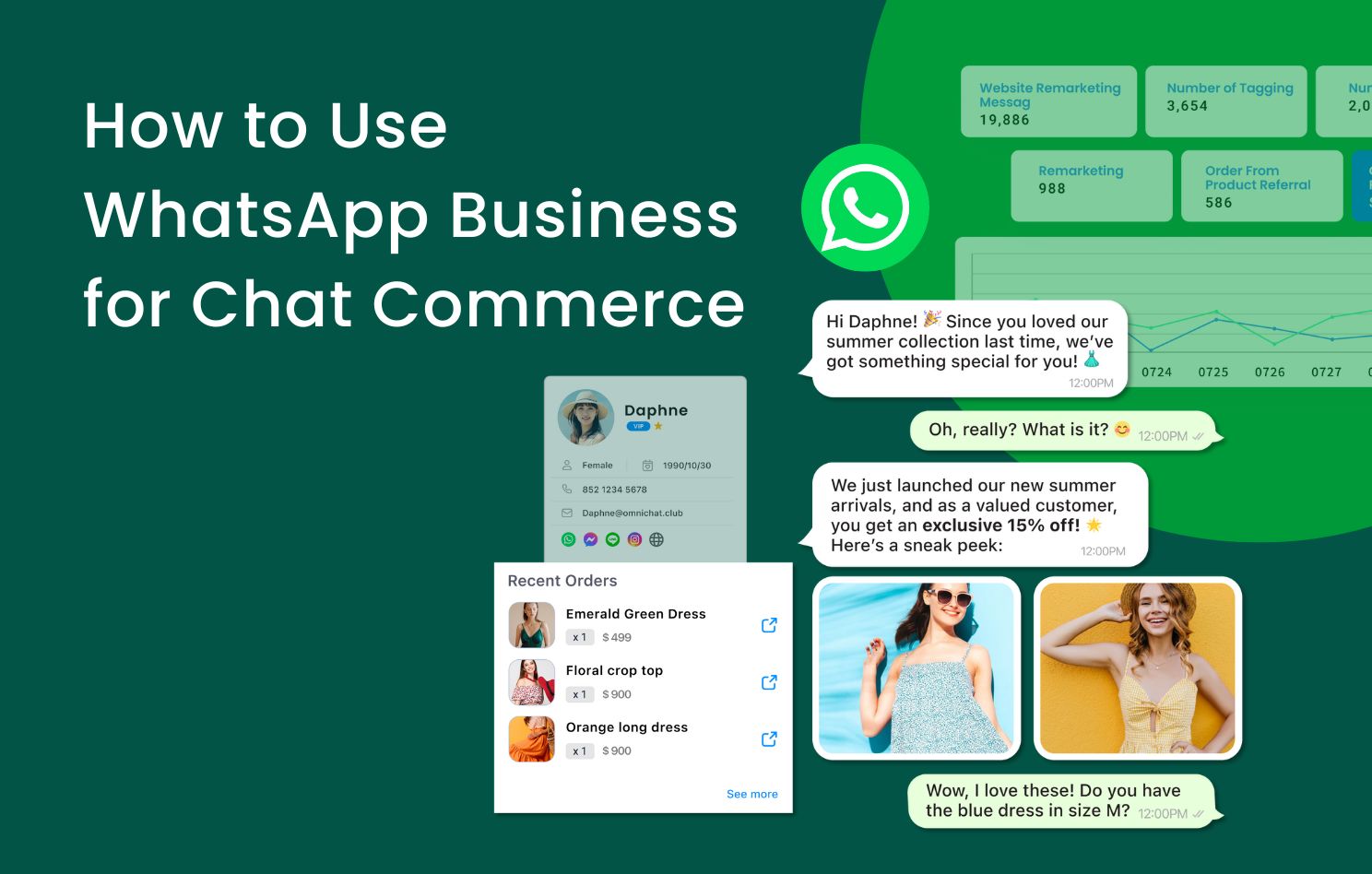
WhatsApp Business enables businesses to send targeted promotions, discounts, and product recommendations based on customer preferences. This is a significant advantage over traditional email marketing, as WhatsApp messages boast higher open and engagement rates.
For example, a retail store can send personalised WhatsApp messages about new arrivals or exclusive discounts based on previous purchases.
How Omnichat Helps: Omnichat’s segmentation tools allow businesses to categorise customers based on behaviour and interests, ensuring highly personalised messaging that increases conversions.
3. Seamless Transactions & Payment Integration
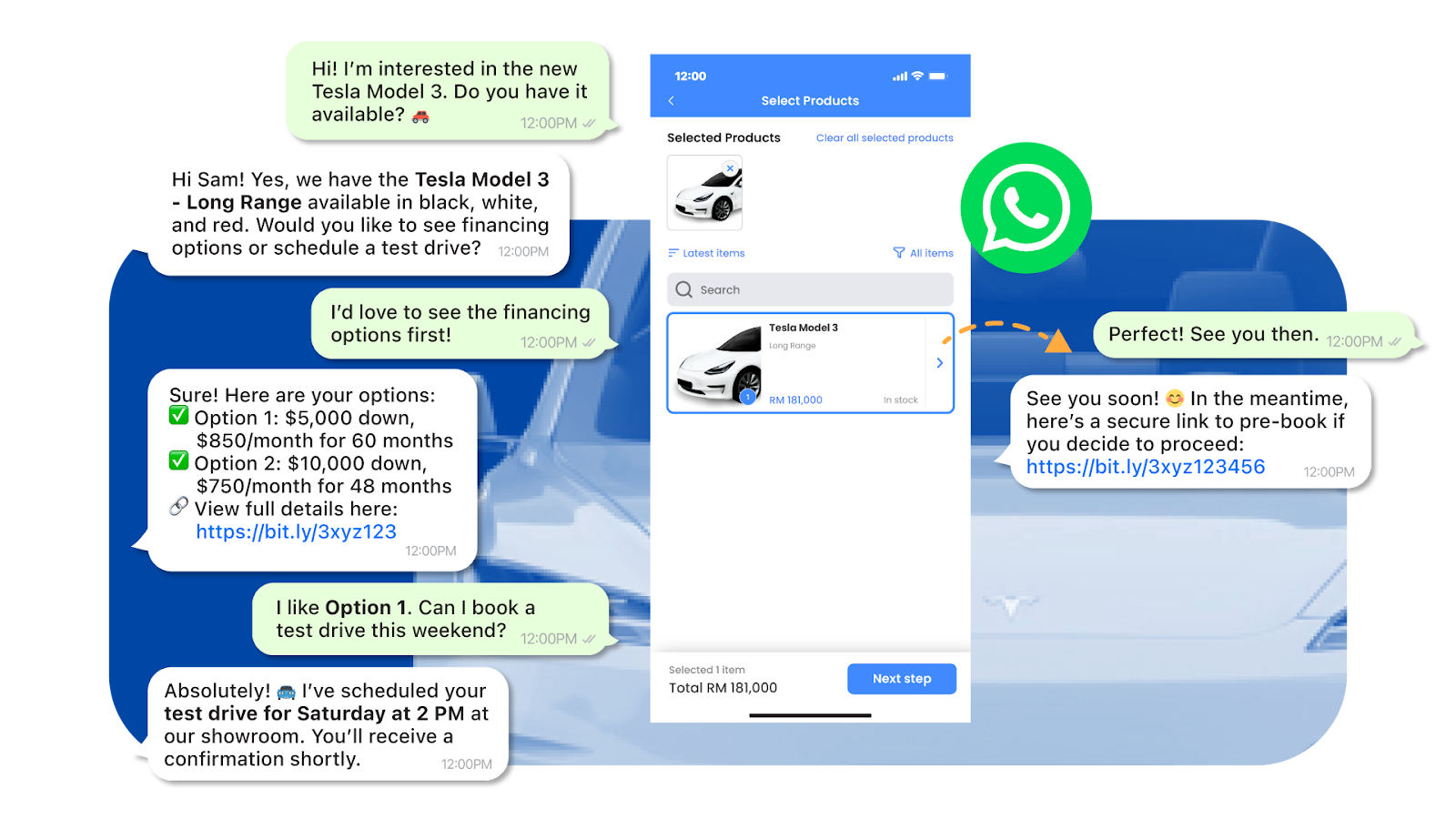
With WhatsApp Business, customers can browse products, place orders, and even complete payments—all within the chat. Integrating payment gateways simplifies the checkout process, reducing cart abandonment rates.
Example: An automotive dealership can send financing options and allow customers to book test drives via WhatsApp, reducing friction in the buyer’s journey.
How Omnichat Helps: Omnichat offers a WhatsApp Catalog & Payment, allowing businesses to collect payments seamlessly and track order statuses directly within the chat.
4. Automated Responses & Chatbots for 24/7 Engagement
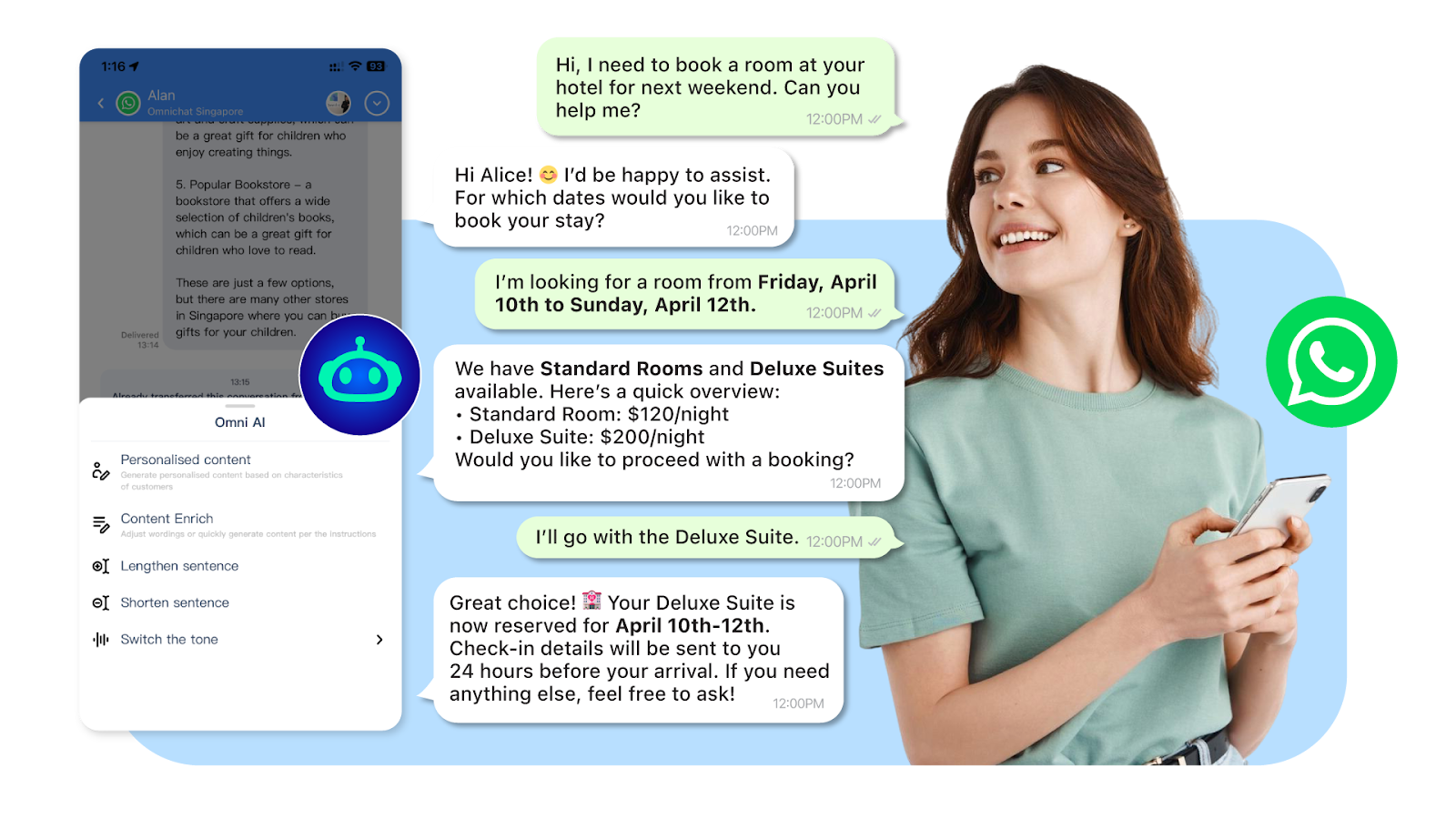
Automation tools like WhatsApp chatbots handle customer queries, send order confirmations, and provide FAQs instantly, ensuring your business is responsive even outside business hours.
Example: A hospitality business can automate booking confirmations, send check-in details, and provide real-time customer support through WhatsApp chatbots.
How Omnichat Helps: Omnichat’s AI-powered chatbots automate repetitive tasks and deliver a human-like conversational experience, improving efficiency and customer satisfaction.
5. Centralized Customer Data for Better Insights
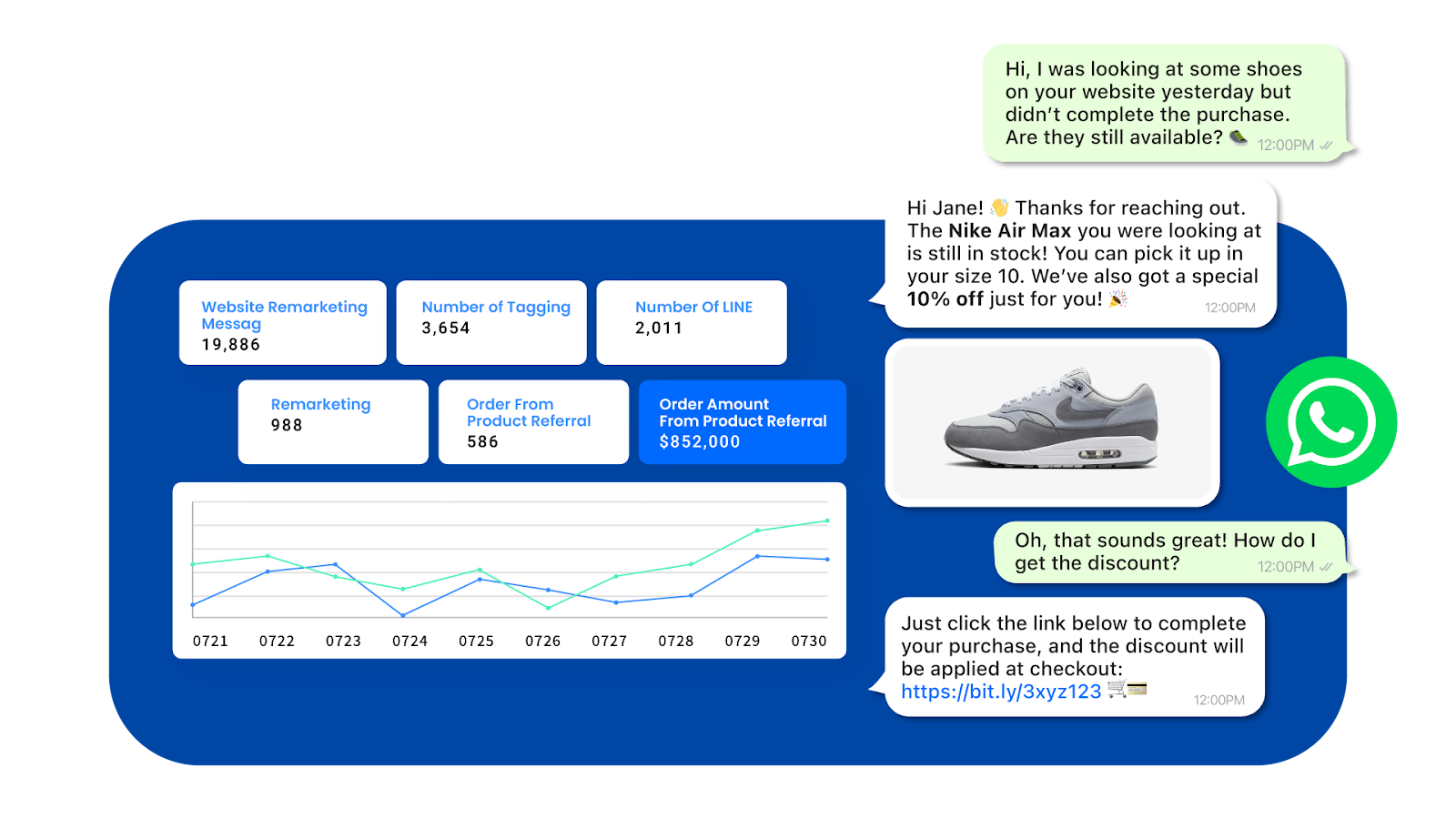
By integrating WhatsApp Business with CRM platforms like Omnichat, businesses can track customer interactions, analyse buying behaviours, and retarget customers precisely.
Example: An e-commerce business can retarget customers who abandoned their carts by sending follow-up messages with personalised incentives.
How Omnichat Helps: Omnichat’s analytics dashboard enables businesses to monitor key performance metrics and refine their WhatsApp marketing strategy to drive higher ROI.
How to Get Started with WhatsApp Business for Chat Commerce
Step 1: Set Up a WhatsApp Business Account
- Download the WhatsApp Business App or use the WhatsApp Business API for larger-scale operations.
- Register your business with a dedicated phone number.
- Create a professional business profile, including your company name, description, website, and location.
Step 2: Build Your Customer List & Engage with Your Audience
- Encourage customers to opt-in for WhatsApp updates through website pop-ups, QR codes, or email campaigns.
- Use broadcast lists to send promotions to segmented customer groups.
- Keep interactions engaging with rich media like images, videos, and catalogues.
Step 3: Leverage WhatsApp for Sales & Customer Support
- Set up quick replies to answer common questions instantly.
- Enable automated greetings and away messages to maintain engagement even when offline.
- Offer a seamless shopping experience by integrating product catalogues and payment options.
Step 4: Integrate Omnichat for Enhanced Chat Commerce Capabilities
- Omnichat’s Unified Inbox manages WhatsApp and other messaging platforms like Facebook Messenger and Instagram DM.
- Automate responses with AI chatbots to handle inquiries efficiently.
- Track customer insights and analytics to refine your marketing strategies.
Why Choose Omnichat for Your WhatsApp Chat Commerce Strategy?
✅ Omnichat’s Unified Chat Platform
Manage WhatsApp conversations alongside other messaging channels from a single dashboard—ensuring no customer query is missed.
✅ AI-Powered Chatbots for Automation
Deploy intelligent chatbots that handle inquiries, recommend products, and assist with transactions, reducing operational costs while improving customer engagement.
✅ Broadcast Messaging for Promotions
Send bulk WhatsApp messages with segmentation features to target the right audience, ensuring personalised and effective marketing campaigns.
✅ Seamless WhatsApp-to-Checkout Integration
Integrating WhatsApp Business with payment gateways will enable a frictionless buying experience, allowing customers to purchase directly within the chat.
✅ Analytics & Customer Insights
Gain actionable insights into customer interactions, track conversion rates, and refine your marketing strategy with data-driven decision-making.
Get Started with WhatsApp Business & Omnichat Today
WhatsApp Business is transforming the Chat Commerce landscape, providing a real-time, seamless, and personalized shopping experience. By integrating WhatsApp Business into your business strategy, you can increase customer engagement and drive sales across various sectors, including e-commerce, automotive, real estate, and hospitality.
To fully utilize the potential of WhatsApp Business and enhance your Chat Commerce strategy, integrate with Omnichat.
Book a Consultation