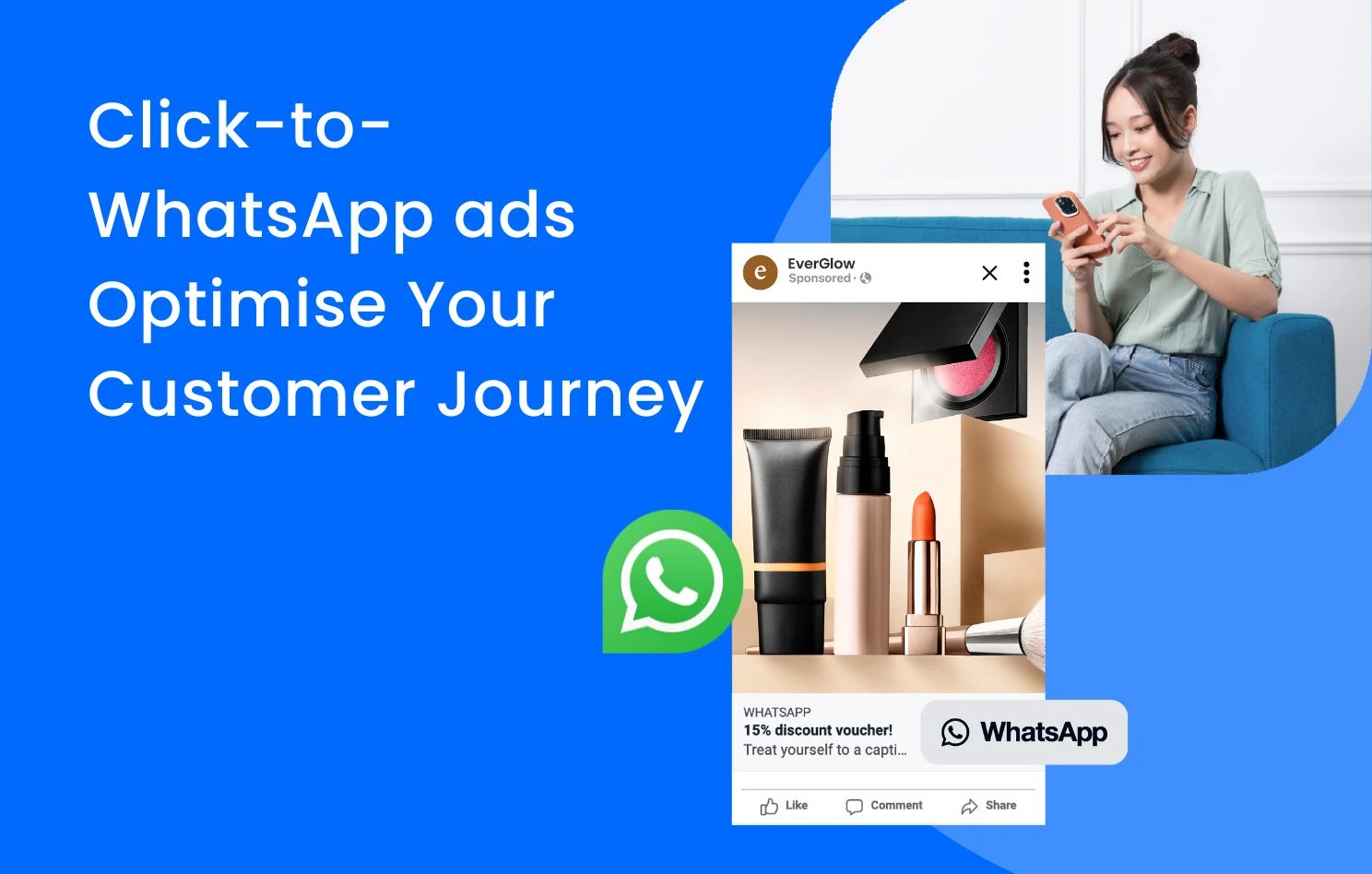
More brands are now using messaging platforms to deliver personalised shopping experiences that address the unique needs of each customer. Meta supports this shift with a dedicated ad format that clicks to WhatsApp across Facebook and Instagram placements such as News Feed, Stories and Marketplace. This helps businesses reach potential customers at every stage of the customer journey and turn interest into conversation more efficiently.
Simply by adding a WhatsApp call to action button on Facebook or Instagram ads, a WhatsApp chat window opens when a customer clicks, allowing your team to provide one to one pre sales, sales and after sales support instantly.
What Are Click-to-WhatsApp Ads?
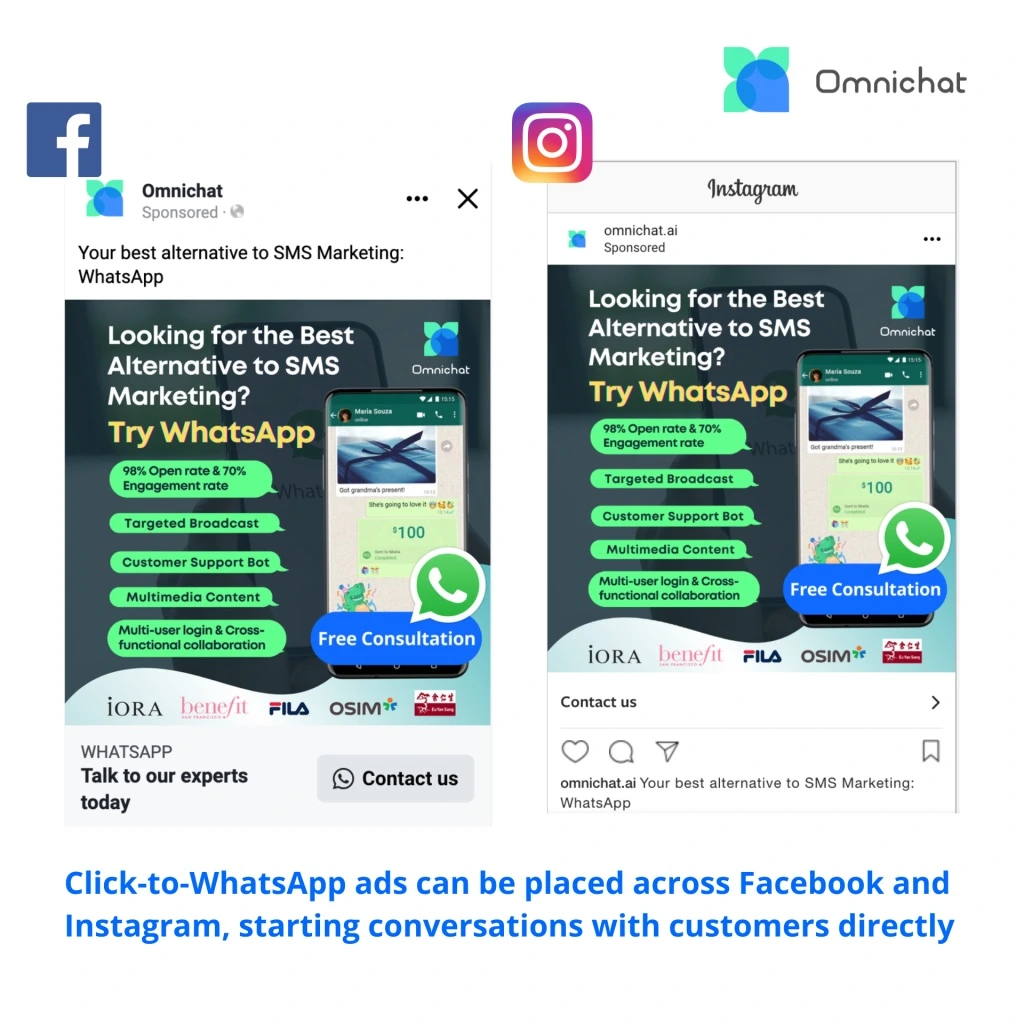
Click-to-WhatsApp ads are a Meta ad format designed to move customers directly from Facebook or Instagram into a WhatsApp conversation with your business. Instead of leading users to a landing page, these ads open a WhatsApp chat where you can answer questions, share product details and guide customers toward a faster conversion. This is one of the core tools in WhatsApp marketing because it reduces friction and makes it easier for customers to take the next step.
Businesses create Click-to-WhatsApp ads inside Meta Ads Manager using the same targeting, bidding and optimisation options available for other Meta placements. With fewer steps in the journey, ads that click to WhatsApp often produce stronger engagement, higher intent leads and better results for brands that rely on personalised communication.
What Are the Benefits of Using Click-to-WhatsApp Ads?
- Optimise delivery with higher ROI
Over 200 million people communicate with a WhatsApp Business account everyday, therefore it is suggested to provide customers with more personalised services through WhatsApp conversations. For many businesses, this type of ad campaigns perform better than standard lead generation ads, as they can quickly address and solve potential customers’ problems, or persuade customers to buy via 1-on-1 instant chats, leading to higher conversion rates and return on investment (ROI).
- Collect first-party data for remarketing
As advertising costs continue to rise, utilising ads that click to WhatsApp can serve as a means of obtaining first-party data, such as customer names, WhatsApp numbers, and order histories. Businesses can then categorise and segment customers through tagging for future retargeting campaigns, increasing the accuracy and efficiency of marketing activities. The collected data can also be integrated into Customer Relationship Management system(CRM), Customer Data Platform(CDP) and Data Management Platform(DMP), unleashing the power of smart data.
- Create an end-to-end social commerce journey
From discovery, consideration, leads to reconnection, Click-to-WhatsApp ads allows customers to explore the product and services across multiple social media platforms. This type of advertisements empower businesses to look for leads from different stages, driving business growth in a more effective way.
According to Meta’s report, 63% shoppers across all markets are more likely to revisit a store because of the payment via messaging services (e.g. WhatsApp). Omnichat’s WhatsApp catalogue and payment features enable consumers to complete the entire purchasing process seamlessly across Facebook, Instagram and WhatsApp at their convenience.
Why Use Ads That Click to WhatsApp for Your Business?
- Automated Chatbot with multiple buttons
Message templates can be created for ads that click to WhatsApp, for example, you can set up greeting messages and frequently asked questions (FAQs) within Ads Manager. If you are using WhatsApp Business API supported by WhatsApp Business Solution Provider (e.g. Omnichat), it is recommended to set up an automated Chatbot with multiple self-service buttons so customers can easily select their needs and even get transferred to human agents for more complicated questions or requests.
- Multi-product messages
It is suggested to place multiple product messages instead of a single product message, along with a call-to-action button that helps to capture audience attention and guide them towards business goal conversion.
Tips: By installing Meta’s pixel, website conversions can be measured and tracked after WhatsApp conversations have taken place.
- Personalised sales service
Cart abandonment retargeting is essential for retailers to increase conversions. More and more businesses send unchecked WhatsApp reminders to shoppers because of its higher open rate (over 90%).
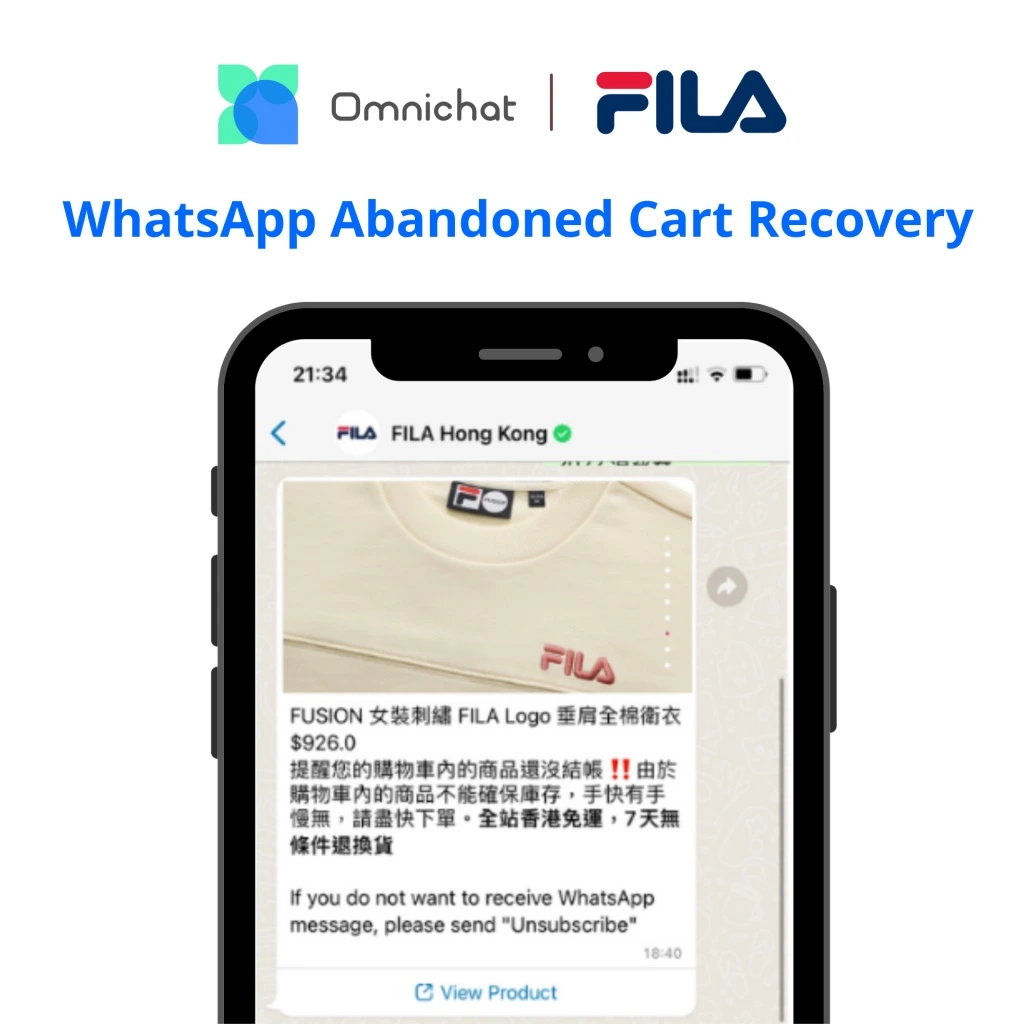
Through Omnichat, the international sportswear giant FILA utilised the Abandoned Cart Recovery feature to earn a remarkable ROAS of 65, successfully converting abandoned carts into sales.
- Special offers
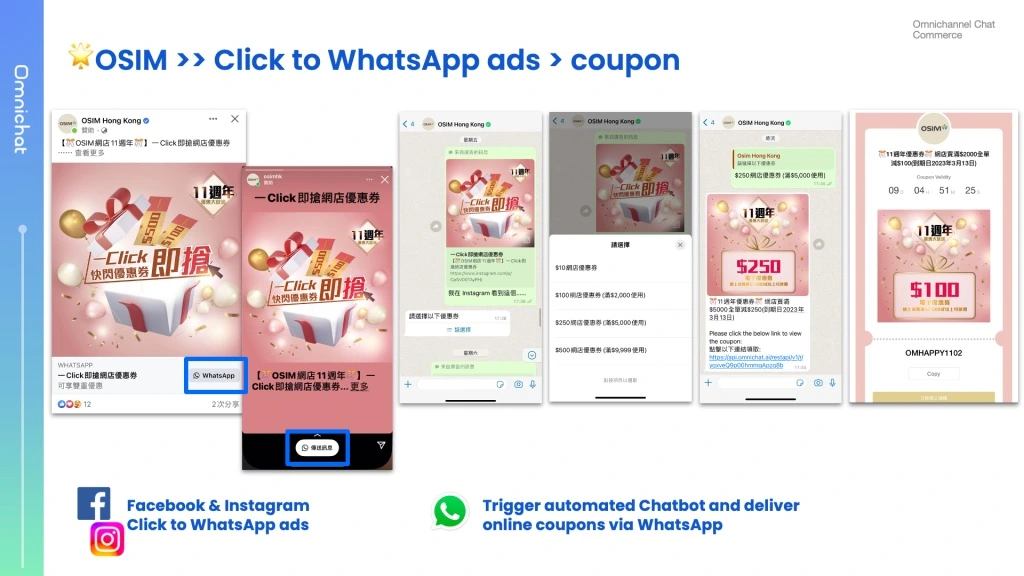
Offering incentives to customers is more likely to boost more sales, and also establish better customer relationships. Leveraging Click-to-WhatsApp ads across Facebook and Instagram, OSIM delivered coupons through WhatsApp automated Chatbot to encourage online purchases.
No one rule fits all, especially in the fast-changing business environment. Therefore, businesses should conduct A/B testing and utilise best practices to optimise ad campaigns for maximum business returns and accomplish marketing goals more effectively.
Step-by-Step Guide: Setting Up Click-to-WhatsApp Ads on Meta
Businesses must have a WhatsApp Business account (download WhatsApp Business App or integrate with WhatsApp Business API) linked to the Facebook Page before creating ads that click to WhatsApp.
If you would like to complete the set up in Ads manager, please follow the following steps:
- Go to Ad creation within Ads Manager.
- Choose your objective.
- Choose your campaign budget and click Next.
- Under conversion location, select messaging apps or WhatsApp.
- For ads using the engagement objective, select the relevant WhatsApp number from the drop-down menu in the Accounts section. For ads using traffic and sales objectives, choose the relevant Facebook Page and the WhatsApp number linked to the Facebook Page will be the one connected with the campaign.
- Choose your audience, placements, budget and schedule, and click Next.
- Select your ad format and complete your ad setup.
- Click + Create to create your flow. Click Save and finish when you’ve finished.
- Click Publish to publish your ad.
Book a Consultation