

Whether for personal communication or business promotion, WeChat has become an indispensable tool in our daily lives, seamlessly merging social media with business functionality. Within WeChat’s dynamic ecosystem, businesses can leverage a multitude of features to elevate their promotional efforts and enhance communication. Common types of WeChat public accounts include: Subscription Account, Service Account, Enterprise WeChat and Mini Program.
Are you feeling overwhelmed by the volume of messages on your WeChat accounts, finding it difficult to separate personal and business communications? As business demands grow, many individuals and companies have discovered that a single account is no longer enough. To maintain efficiency and achieve a clearer separation between personal and work conversations, more professionals are now using two WeChat accounts. Managing a dual WeChat setup, or even a multiple WeChat account arrangement across WeChat two devices, helps streamline workflows and ensures important messages are never missed.
Why One WeChat account is not Enough
Having two WeChat accounts gives businesses valuable flexibility. For example, merchants often use two phones to answer customer inquiries and manage their businesses in mainland China and Hong Kong. By utilising two WeChat accounts on one device, they can easily switch between regions and efficiently manage messages from different areas.
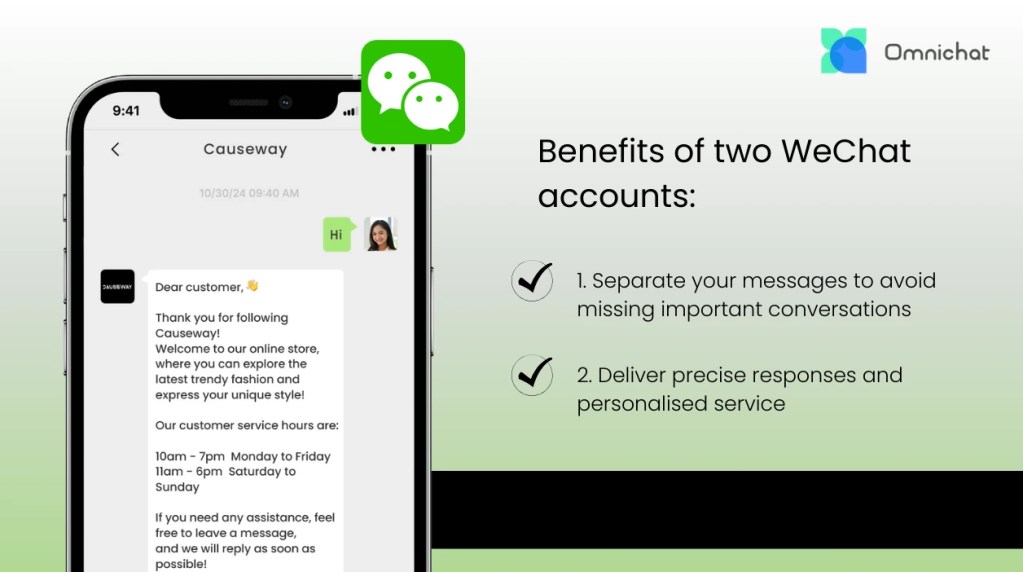
Benefits of Having Two WeChat Accounts
1. Separate Personal and Business Chats
With two WeChat accounts, you can clearly distinguish between personal and business communications, reducing the risk of confusion or missing important customer enquiries. This is especially valuable as business communication channels continue to grow, allowing you to manage each account’s messages independently and respond to all customer requests more promptly.
It is common to forget to reply to a message after reading it when you are busy. By separating business messages into a dedicated account, both internal work groups and customer conversations can be organised systematically. This prevents confusion and missed responses while greatly improving work efficiency. Sales professionals, for example, can handle enquiries from different markets without worrying about business messages being buried in personal chats.
2. Deliver Precise Responses and Personalised Service
Managing multiple WeChat accounts not only shortens response times but also helps you provide more personalised services, improving customer satisfaction. With dual WeChat setups, you can customise your responses for different segments, ensuring each customer feels valued and increasing the chance of long-term loyalty and business growth.
When you have hundreds of contacts across your WeChat accounts, managing them separately allows you to track the source of messages within your business account more effectively. By using tagging and note features, you can quickly recognise customer preferences and deliver tailored services, significantly boosting satisfaction and strengthening relationships.
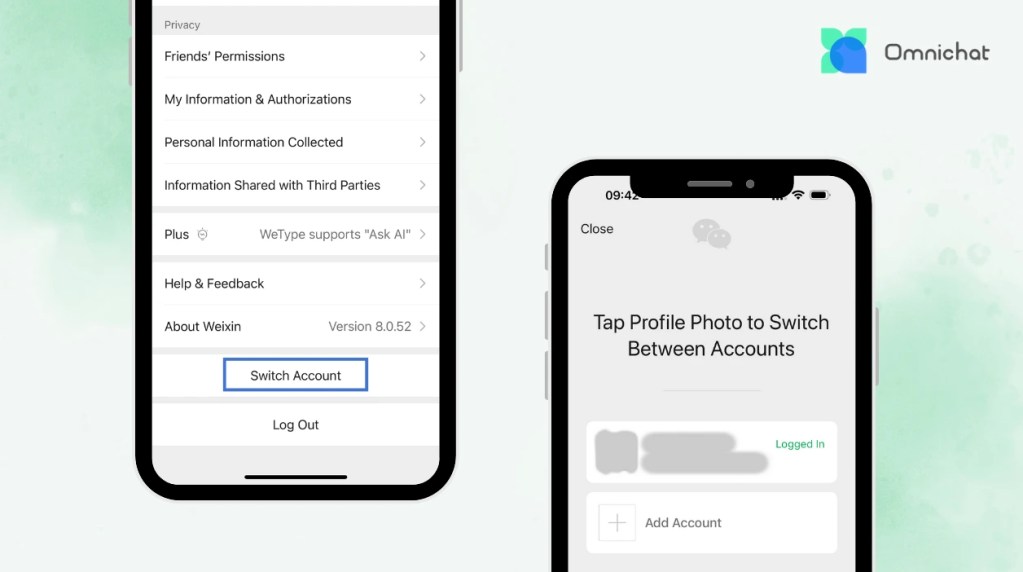
Step-by-step Guide: How to Manage Multiple WeChat Accounts
You might be wondering: how can I easily manage two WeChat accounts on one device? Here are the simple steps (if you have already registered your first WeChat account, you can skip to step two):
1. First, open the WeChat app, click “Register”, then fill in your nickname, phone number, and password. After entering the details, click “Register”. The system will automatically send a verification code to your phone. Once verified, registration is complete.
2. After logging into your WeChat account, open your personal page and click “Settings” at the bottom.
3. In the settings page, find the “Switch Account” option.
4. If this is your first time adding a second account, click the “+” sign and choose “Register New Account” in the pop-up window. Then select “Register using current phone number” to easily add a new account.
5. WeChat will automatically save the login details for that account. In the future, when switching accounts, you only need to click the profile picture of the other account without re-entering the password.
Important notice:
- Account limit: At present, WeChat only supports switching between two accounts on the same device. If you want to manage more than two, you must log out of one before logging into another.
- No dual standby: WeChat does not support logging into multiple accounts at the same time. You can only receive messages for the active account. To check updates from another account, you need to switch manually.
Common Challenges of Using Dual WeChat Accounts
While having two WeChat accounts offers convenience, there are several challenges you may encounter:
Privacy and Security Concerns with WeChat Two Devices Setup
As the number of WeChat accounts grows, protecting privacy and avoiding risks such as data leaks or account suspension becomes increasingly important for business users. It is recommended to enable two-factor authentication and update passwords regularly to enhance account security.
Technical Limitations of Managing Multiple Accounts
Although WeChat allows account switching to help separate personal and business communications, it only supports two accounts on the same device at one time. For businesses that rely on real-time replies, this limitation can affect service efficiency. Some phone brands offer “dual apps” or “app clone” features that let you run dual WeChat on the same device, but the experience is still limited compared to a true multi-account login system.
This is where Omnichat’s multi-channel integration solution proves invaluable. Omnichat empowers businesses to integrate different communication channels, including WeChat, WhatsApp, Instagram and Facebook, into one single platform. This not only bypasses WeChat’s login limitations but also significantly elevates customer communication efficiency and overall service experience.
Unlock the Power of WeChat Service Accounts with Omnichat
Managing customer relationships effectively often requires the use of two WeChat accounts, separating personal communication from business operations. With Omnichat’s flexible settings, businesses can streamline workflows, respond faster, and improve overall efficiency. To maximise marketing efforts, leveraging the WeChat Official Account channel for broadcasting messages is also essential.
It’s important to note that overseas users and enterprises can currently only apply for Service Accounts, not Subscription Accounts. But fear not—Omnichat seamlessly integrates with WeChat Service Accounts (international version), allowing you to harness the full potential of two WeChat accounts. Embrace Omnichat to transform your customer service quality and elevate your operational efficiency today!
Book a Consultation


