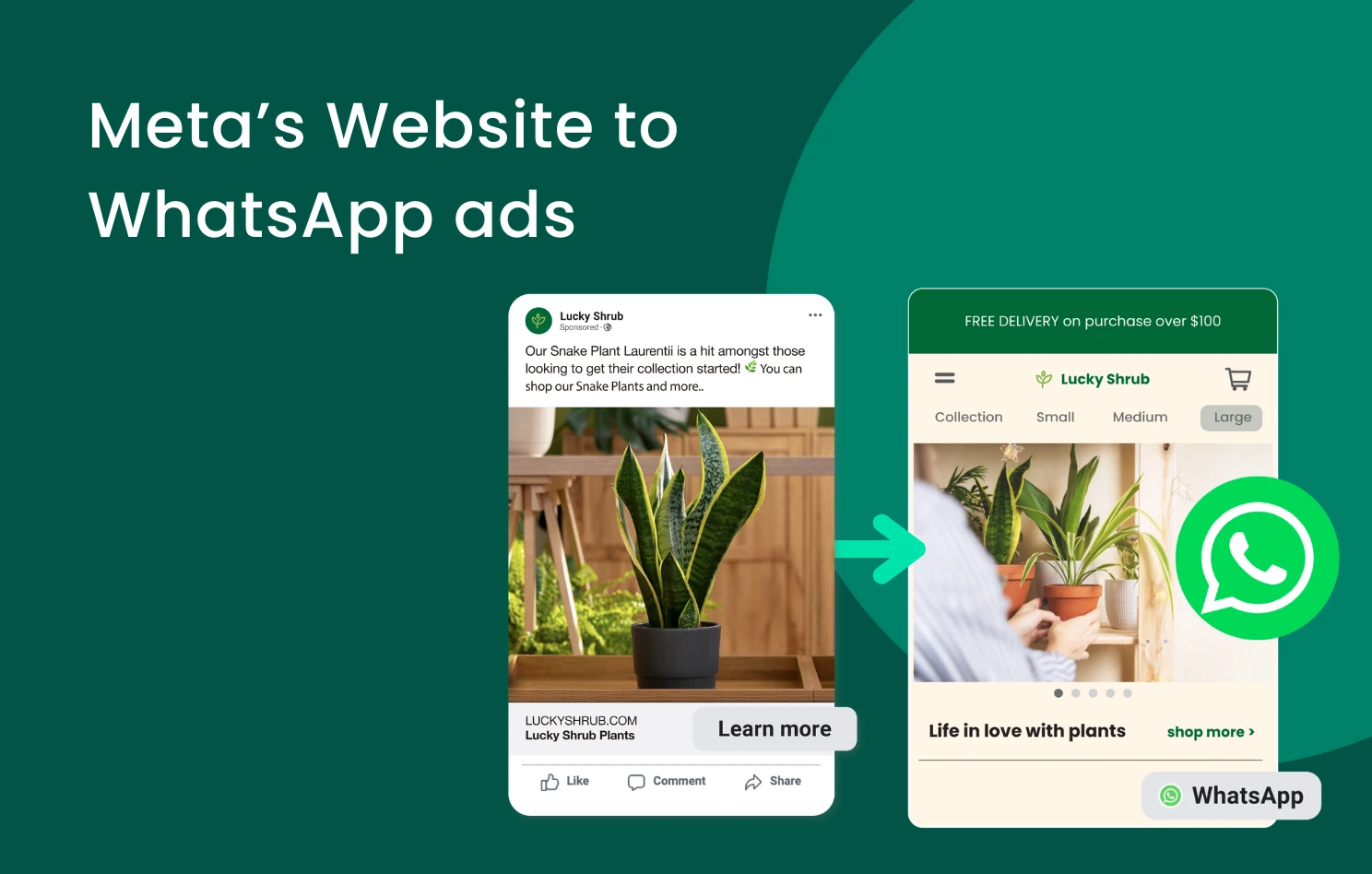
Meta Website to WhatsApp Ads are a Meta ad format that directs users from a Facebook or Instagram ad to a landing page before prompting them to start a WhatsApp conversation with a business. Unlike traditional Click to WhatsApp ads that open a chat immediately, this approach allows businesses to educate users, qualify leads, and capture stronger intent before the conversation begins. For businesses in Hong Kong, where WhatsApp is a widely preferred communication channel, this can lead to higher-quality leads, better campaign tracking, and improved conversion performance.
💡 Key Takeaways: Meta Website to WhatsApp Ads
– Meta Website to WhatsApp Ads send users from a Facebook or Instagram ad to a landing page first, then prompt them to start a WhatsApp conversation, helping businesses educate users and qualify leads before the chat begins.
– Compared with traditional Click to WhatsApp ads, Website to WhatsApp Ads provide more context before the conversation starts, which can improve lead quality, tracking, and conversion performance.
– This ad format supports stronger campaign measurement because businesses can track landing page engagement through tools such as Meta Pixel and Google Analytics, including visits from users who do not immediately start a WhatsApp chat.
– Businesses can improve performance by using a fast, mobile-friendly landing page, a clear WhatsApp call to action, and chatbot automation to reduce drop-off and capture leads more efficiently.
– Omnichat helps businesses turn Meta WhatsApp ads into qualified conversations by supporting WhatsApp Business API, automated replies, audience segmentation, WhatsApp broadcasts, and centralised lead management across multiple messaging channels.
Effective business messaging plays a critical role in building strong customer relationships. According to Kantar, 49% of Hong Kong consumers prefer using WhatsApp to communicate with businesses, highlighting its importance as a key engagement channel. By introducing a landing page step before initiating a chat, Meta Website to WhatsApp Ads help businesses provide more context, guide user expectations, and attract more informed and qualified prospects, ultimately improving the efficiency and effectiveness of their campaigns.
What are Meta Website to WhatsApp Ads?
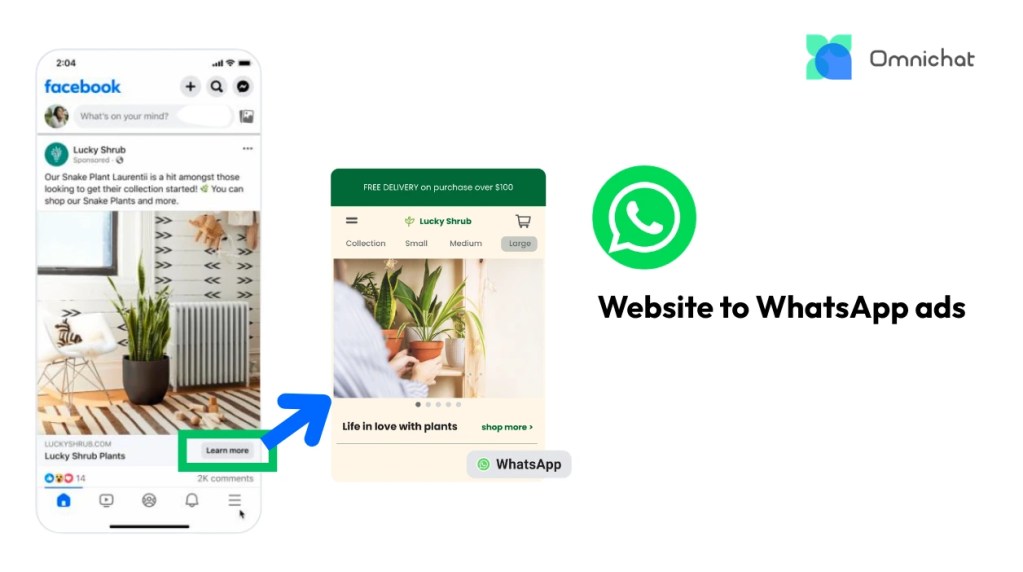
Meta Website to WhatsApp Ads are a Meta ad format that directs users from a Facebook or Instagram ad to a landing page before prompting them to start a WhatsApp conversation with a business. After clicking the ad, users are taken to a dedicated landing page where they can learn more about a product, service, or offer. This page includes a clear call to action button that opens a WhatsApp chat when clicked, allowing the user to initiate a conversation with the business.
This two-step journey distinguishes Website to WhatsApp Ads from traditional Click to WhatsApp ads, which send users directly from the ad into a WhatsApp chat without an intermediate landing page.
Why Use Website to WhatsApp Ads? Unlock Key Benefits for Your Business
This ad format offers a strategic approach to lead generation and customer engagement, particularly for marketers looking to improve lead quality and conversion efficiency. Here’s why you should consider integrating it into your campaigns:
Enhanced Lead Qualification & Warmer Conversations
By visiting a landing page first, potential customers can absorb more detailed information about your offerings. You can showcase product specifications, service benefits, case studies, testimonials, or explainer videos. Users who choose to initiate a WhatsApp chat are typically more informed, genuinely interested, and further along in the consideration phase. This pre-qualification allows your sales or support teams to engage with higher-intent leads and have more productive conversations.
Versatile Customer Engagement & Nurturing
This format supports engagement across different stages of the buyer journey. The landing page provides essential context, while the WhatsApp chat creates a direct and personalised communication channel. Businesses can answer questions, address concerns, and guide users toward conversion more effectively.
Improved Data & Campaign Insights
Sending users to a landing page enables more comprehensive tracking through tools such as Meta Pixel and Google Analytics. You can measure page views, time on page, bounce rate, and other engagement metrics, including users who do not start a WhatsApp chat. This provides a clearer understanding of user behaviour and campaign performance.
Building Long-term Engagement via WhatsApp
For customers who aren’t ready to make an immediate purchase but do engage via WhatsApp after visiting your landing page, you gain a valuable “captured” audience. This opens the door for building longer-term relationships and re-engaging them with relevant updates and offers directly through a preferred communication channel.
WhatsApp broadcast enables businesses to send impactful messages to large, targeted customer lists simultaneously, achieving impressive open rates of up to 98%, significantly outperforming traditional methods like email. Through the official WhatsApp Business Solution Provider like Omnichat, businesses can leverage powerful customer segmentation to tailor these broadcasts, ensuring even mass communications feel personalised and relevant to specific audience groups, and schedule them for optimal delivery times, thereby automating your outreach with maximum efficiency.
A Brief Overview to Set Up “Website to WhatsApp Ads”
To set up Website to WhatsApp ads in Meta Ads Manager, follow these steps:
- Choose one of the following objectives: sales, leads, engagement, traffic, and awareness. Then, click Continue.
- Create a campaign name, then click Next.
- Select Website as your conversion location.
- Edit your budget, schedule, audience and placements, then click Next.
- Fill in the details of your ad creative and scroll down.
- In the Destination section, select Website and provide your landing page URL.
- Below Browser add-ons, select Messaging app > WhatsApp
(If your WhatsApp phone number is not already connected to a Facebook Page, click Connect account.) - Publish your ad.
Pro Tips:
- Optimise landing page: Ensure your landing page is mobile-friendly, loads quickly, and clearly presents the information and the WhatsApp CTA to ensure a seamless user experience, guiding users smoothly from ad click to conversation and reducing drop-off.
- Enable WhatsApp chatbot for always-on support: Set up a WhatsApp chatbot with pre-defined greeting messages to handle common enquiries instantly. This allows you to provide 24/7 responses and capture leads even outside business hours.
Other Messaging Ad Formats: Website to Messenger / Instagram Direct ads
These ad formats follow a similar approach to Website to WhatsApp Ads. Users are directed from a Facebook or Instagram ad to a website or landing page before being prompted to start a conversation via Messenger or Instagram Direct.
After arriving on the landing page, users can either complete actions such as making a purchase or submitting a form, or initiate a conversation with the business. This allows businesses to capture both high-intent users who are ready to convert and those who need additional information before making a decision.
This format is especially suitable for businesses that actively use Messenger or Instagram Direct as part of their customer communication strategy, while relying on their website to support product education and conversion.

Pro Tips:
- Set up auto-reply for Facebook and Instagram: Use Omnichat to configure intelligent auto-replies for incoming messages on Messenger and Instagram Direct. This ensures users receive immediate responses, answers to common questions, or guided next steps, even outside business hours, improving response speed and overall customer experience.
- Manage leads in a central hub: Consolidate all conversations generated from these ads, including automated interactions, within Omnichat’s unified inbox. This allows for better lead tracking, agent assignment, and consistent follow-up across channels.
How Omnichat Helps You Turn Meta WhatsApp Ads into Qualified Conversations
While Meta Website to WhatsApp Ads improve the journey from ad click to conversation, businesses still need a scalable way to manage and convert those leads after the chat begins. Omnichat enables brands to handle WhatsApp enquiries through the official WhatsApp Business API, automate responses with chatbots, segment audiences for targeted follow-ups, and manage conversations across WhatsApp, Facebook Messenger, Instagram, LINE, WeChat, and website live chat within a single platform.
Key Benefits
- Send targeted WhatsApp broadcasts
Deliver follow-up messages to segmented audiences and schedule campaigns in advance to maximise engagement. - Automate responses across channels
Set up automated replies for Messenger and Instagram Direct to capture, qualify, and guide leads more efficiently. - Manage conversations in one place
Consolidate all ad-driven conversations across WhatsApp and other messaging channels for better tracking, team collaboration, and consistent follow-up.
If you are running Meta WhatsApp ads and want to improve lead quality, response speed, and conversion performance, Omnichat can help you manage and scale your conversations more effectively. Book a demo to see how it works.
Book a Consultation